
A practical guide to calculating the full lifecycle cost of an E Ink tablet deployment, including acquisition, training, support, accessories, workflow time, replacement, and risk.
Purchase price is the easiest number to compare, but it rarely shows the full impact of a team deployment. A useful E Ink tablet total cost of ownership model also includes setup, accessories, training, support, administration, replacements, workflow time, downtime, and adoption risk.
Imagine two devices with similar upfront costs. One fits existing document routines and needs little support. The other creates extra file steps, repeated questions, and unused accessories. Although the invoice may look similar, the operational experience can be very different.
For that reason, a business tablet TCO review should begin with real work rather than a feature list. The model should show where money, time, and risk enter the lifecycle. It should also separate confirmed figures from assumptions that still need validation.
Start With the Team, Workflow and Evaluation Period
A TCO spreadsheet becomes unreliable when its deployment scope stays vague. Before entering a cost, define the number of devices, participating roles, work locations, expected lifecycle, and workflows included in the evaluation. Otherwise, a small pilot and a wider rollout can appear comparable when they are not.
Start with the workday. A tablet used for occasional reading has a different cost profile from one used for daily notes, field forms, document review, or repeated handoffs. Usage frequency affects training needs, accessory wear, support demand, and the operational impact of downtime.
Name the participating roles
Different roles create different team deployment costs. An IT administrator may spend time preparing devices and answering technical questions. A department lead may create templates or define filing rules. Meanwhile, everyday participants spend time learning the routine and adjusting existing habits.
- Procurement: sourcing, approval, ordering, and contract review.
- IT: setup, account preparation, access review, updates, and support.
- Department leadership: workflow design, adoption rules, and pilot evaluation.
- Participants: training, daily use, feedback, and process adjustment.
- Operations or compliance: retention, security, evidence, and lifecycle controls where applicable.
Next, choose an evaluation period that matches the intended lifecycle. A short pilot can test fit, but it cannot reveal every replacement or support pattern. A longer model can show lifecycle effects, although its future assumptions need clear labels and regular review.
The first deployment conversation can begin with Viwoods Business Solutions. That page provides a relevant route for discussing business use. However, every requirement, service commitment, integration detail, and current commercial term should still be confirmed for the planned deployment.
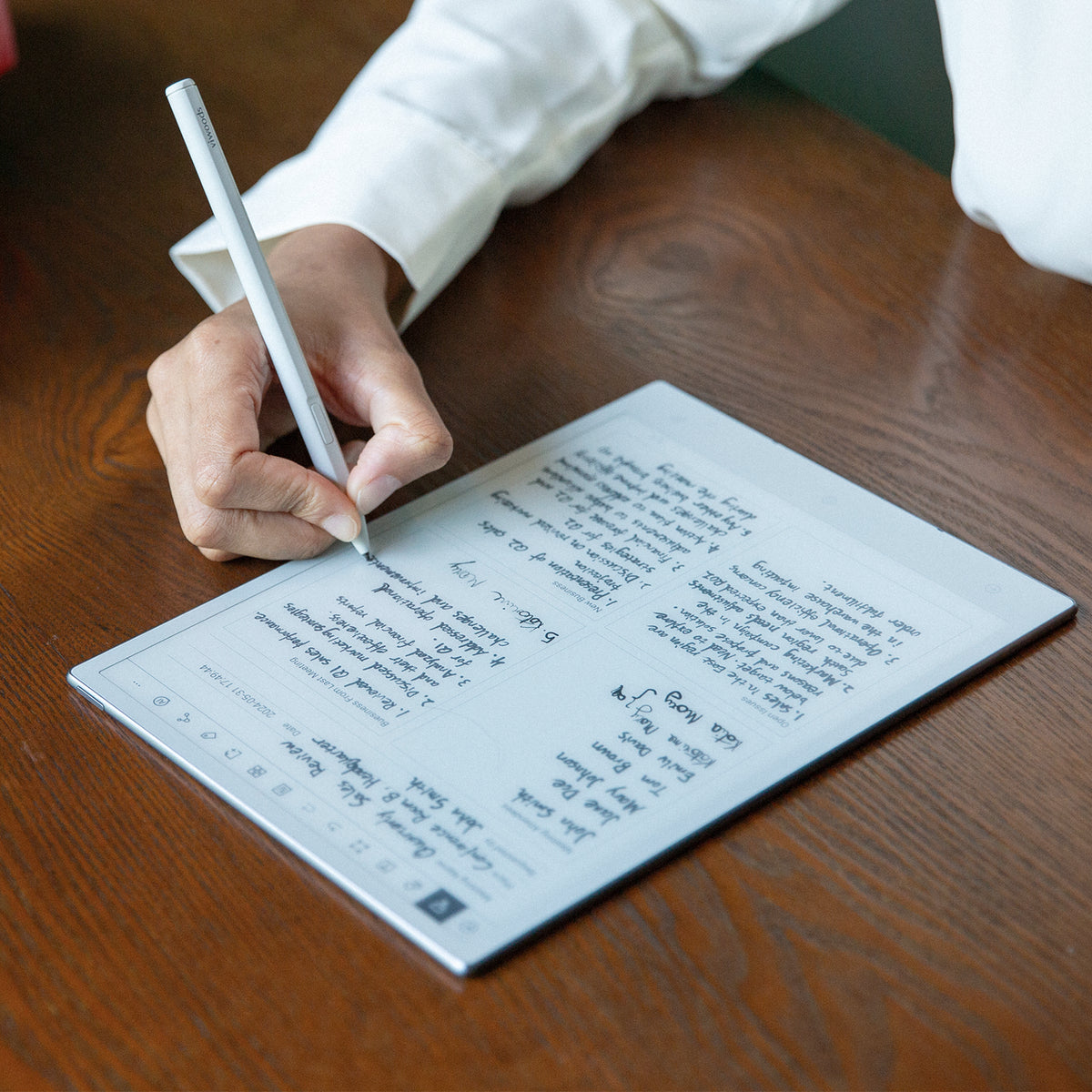
A full-size writing workflow may involve document preparation, handwriting, review, export, and later retrieval. Each surrounding step belongs in the deployment assessment. View Viwoods AiPaper →
What the Upfront Cost Actually Includes
The initial purchase is only one line in the acquisition section. A complete setup may also require cases, styluses, replacement tips, charging arrangements, shipping, taxes, internal handling, device preparation, and rollout communication. The relevant items depend on what is included and what the working environment requires.
Avoid copying retail bundles into the model without checking them. Included accessories, current offers, regional terms, and product configurations can change. Instead, record each required item, mark whether it is included, and attach the confirmed source and date.
Count setup time with a repeatable method
A pilot should measure hands-on preparation time. Record how long it takes to receive, inspect, identify, configure, test, document, and hand over one device. Then separate repeatable time from one-time process design.
For example, writing an internal quick-start guide is usually a one-time task. Preparing each device is a per-unit task. Keeping those categories separate prevents the first few pilot devices from making a larger rollout look artificially expensive.
Where Training, Support and Administration Keep Adding Cost
Support and training cost often hides inside existing salaries. No separate invoice appears, yet someone still answers questions, updates instructions, manages access, and checks whether the workflow remains usable. A credible TCO review gives this time a visible place.
Training should cover the actual routine rather than every available tool. A document-review group may need file preparation, annotation, export, naming, and handoff guidance. A note-focused group may need templates, notebook structure, retrieval rules, and follow-up steps.
Launch
Initial orientation
Core workflow, access rules, file movement, care, and where to request help.
Adoption
Follow-up coaching
Short sessions based on questions observed during real use.
Continuity
Ongoing administration
New starter setup, documentation updates, issue tracking, and ownership changes.
Support demand also changes over time. The first week may bring basic questions. Later requests may involve unusual files, forgotten steps, replacement accessories, or a process that no longer matches current work. That is why a single launch-day support estimate is rarely enough.
Use a simple issue log during the pilot. Record the question, role involved, time spent, cause, and resolution. Recurring questions may indicate a training gap, an unclear internal rule, or a poor workflow fit. That information has more decision value than a generic support allowance.
Role-specific format check: if one group works mainly in mobile note-taking or lighter document review, test that role separately rather than assuming the same device format fits every participant. The AiPaper Mini can be evaluated as a compact option, but its effect on workflow time, support and accessory needs should be measured in the same TCO model.
Accessories, Replacements and the Physical Lifecycle
Accessories and replacement planning should match the environment. A device carried between offices needs a different protection assumption from one that stays on a controlled desk. Stylus use, storage conditions, travel frequency, and shared-device handling may also change replacement demand.
Avoid inventing failure rates. Instead, create transparent assumptions that can be replaced with confirmed information later. Each assumption should show its source, confidence level, review date, and effect on the total.
Separate planned replacement from accidental loss
Planned replacement covers the expected device refresh and consumable needs. Accidental loss covers uncertain events such as missing styluses, damaged cases, or devices leaving service early. Combining them into one percentage hides why the allowance exists.
A stronger approach uses separate lines for devices, cases, styluses, tips, cables, and other confirmed requirements. Shared spare stock should also appear as its own line. That structure makes later updates easier because one assumption can change without rebuilding the model.
Lifecycle questions worth answering
- Which accessories are required for each role or location?
- Which items are included in the confirmed configuration?
- Will spare devices or styluses be held centrally?
- Who approves and records a replacement?
- What happens to notes, access, and ownership when a device changes hands?
- How often will lifecycle assumptions be checked against actual use?
Replacement policy matters because delay has a cost. When a frequently used device becomes unavailable, work may return to paper, a laptop, or an improvised process. The model should record both the replacement expense and the operational interruption.
Two accessory costs that deserve their own lifecycle lines.
Cases, styluses and replacement tips should enter the worksheet only when they match the actual role, movement pattern and confirmed device configuration. Treat them as separate inputs so one assumption can change without distorting the rest of the model.

Protection and handling
A case may be relevant when devices move between rooms, sites or bags. Confirm compatibility and actual handling conditions before assigning a protection cost.
Review the AiPaper case →
Stylus and replacement tips
Confirm what is included, which replacements are compatible, how spares will be stored, and whether loss or tip wear needs its own allowance.
Review W2 Stylus Pro →When Workflow Friction Costs More Than Hardware
Workflow time can outweigh small differences in hardware cost. A few unnecessary minutes repeated across many people and workdays can become a substantial operating burden. However, claimed time savings should never enter the model without a measured baseline.
Measure a complete task instead of an isolated action. Opening a document quickly does not matter if exporting, naming, sharing, or retrieving the result adds extra steps. Likewise, a pleasant writing experience has limited value when the finished note cannot enter the required follow-up process.
Observe one workflow from start to finish
Choose a repeated task with a clear beginning and end. For example, start when a report arrives and finish when the marked version reaches its next approved destination. Count active time, waiting time, corrections, handoffs, and duplicate entry.
- Prepare a normal source file or note template.
- Complete the task under realistic working conditions.
- Move the result through the required review or sharing path.
- Retrieve it later using the expected name, folder, or date.
- Record delays, repeated actions, errors, and support requests.
Process friction is not always a device problem. Sometimes the internal workflow lacks naming rules, ownership, or a defined destination. A pilot should distinguish product fit from process design so the cost model does not assign every delay to the hardware.
The E Ink tablet operating cost should also include workarounds. If a step regularly moves to another device, requires manual re-entry, or depends on one knowledgeable colleague, the workaround has a measurable time and continuity cost.
The Costs That Do Not Arrive as an Invoice
Risk belongs in a TCO review even when it cannot yet be expressed as a confirmed monetary value. Security review, access management, downtime, failed adoption, and unclear ownership can all affect deployment viability. Leaving them out does not remove the risk; it only hides it.
Security questions should reflect the intended information. A device used for general reading may require different controls from one handling confidential notes or regulated documents. Current product capabilities, policies, integrations, and administrative controls should be confirmed before approval.
Four places where a low purchase price can still become expensive
Security and data handling
Record the information type, required controls, evidence needed, owner, and approval status.
Downtime and continuity
Define what work stops, what fallback exists, and how quickly a usable replacement is needed.
Adoption
Track actual weekly use, completed workflows, recurring confusion, and reasons for returning to old methods.
Ownership and exit
Plan for role changes, device return, access removal, file transfer, and reassignment.
Adoption risk deserves special attention. A device may perform well during a guided demonstration yet remain unused after the first month. The pilot should therefore observe voluntary repeat use and completed tasks, not only positive comments.
Downtime assumptions should stay simple. Record the affected role, expected fallback, replacement route, and internal response time. Do not add a financial loss figure unless the organization can support it with its own data.
Why One Forecast Is Not Enough
A single forecast can create false confidence. Low, expected, and high scenarios show how the decision changes when usage, support, replacement, or lifecycle assumptions move. The purpose is not to predict the future perfectly. Instead, the model reveals which assumptions have the greatest influence.
Keep device quantity and evaluation period consistent across scenarios unless rollout size is the variable under review. Then change a small group of clearly named assumptions. Too many changes make the results difficult to interpret.
Low case
Light support demand
Faster onboarding, limited accessory replacement, stable workflows, and fewer support requests.
Expected case
Pilot-informed pattern
Observed setup time, realistic training, normal support, and documented replacement assumptions.
High case
More operational effort
Longer onboarding, extra support, more spares, shorter lifecycle, or greater process friction.
Sensitivity matters more than an attractive total. If a small change in support hours alters the decision, support design needs more evidence. If replacement assumptions dominate the result, lifecycle data deserves closer attention during the pilot.
Scenario planning also improves internal discussion. Instead of debating whether one forecast is “right,” the review can focus on what conditions would produce each result and which conditions the deployment team can control.
Calculation framework
How to Build an E Ink Tablet Total Cost of Ownership Worksheet
A useful worksheet separates inputs, formulas, assumptions, evidence, and results. Blank cells are better than invented numbers. When a figure has not been confirmed, mark it as pending and assign an owner to obtain it.
The core formula can remain straightforward:
Total lifecycle cost = acquisition + deployment + operating + replacement + workflow + risk-response costs
Use confirmed organizational inputs. Do not insert unverified savings, failure rates, subscriptions, depreciation, or support terms.
Illustrative example
What a small TCO example might record
For a 20-device pilot, the team might record measured setup minutes per device, initial training hours, monthly support time, required cases or styluses, spare stock, and any repeated workflow delay. The calculation would then use confirmed device and labor costs rather than guessed savings.
Example structure: (device cost × 20) + measured setup labor + training labor + recurring support + confirmed accessories + replacement allowance + measured workflow cost.
Illustrative only. Replace every input with the organization’s own measured or confirmed figures.
Recommended Worksheet Columns
Keep evidence, assumptions, ownership, and calculation inputs visible in the same working table.
01
Cost category and line item
Identify the specific device, accessory, service, task, or risk cost.
02
Cost timing
Mark each cost as one-time, recurring, replacement, or event-based.
03
Unit, quantity, and frequency
Show how each input scales across devices, roles, and the evaluation period.
04
Amount and scenario
Record confirmed figures or low, expected, and high assumptions.
05
Evidence and confirmation date
Connect each figure to a quotation, pilot log, policy, or approved internal source.
06
Owner, dependencies, and review date
Assign unresolved inputs and show when each assumption must be checked again.
Useful Formulas
Use the same formula structure across all three scenarios. Only confirmed or clearly labeled inputs should change.
Device acquisition
Confirmed unit cost × approved device quantity
Per-device preparation
Measured setup time × device quantity × approved internal labor rate
Training
Preparation time + trainer time + participant time + follow-up time
Recurring administration
Expected monthly hours × evaluation months × approved internal labor rate
Replacement allowance
Scenario replacement quantity × confirmed cost for each item
Cost per active device
Total lifecycle cost ÷ average number of devices actively completing the intended workflow
What to Confirm Before a Pilot or Rollout
Procurement questions should connect commercial terms with the planned workflow. A long generic list creates work without improving the decision. The review below stays focused on cost, deployment, lifecycle, and evidence.
Pilot and Rollout Procurement Review
01 · Buying scope
Configuration and acquisition
Which device configuration matches the pilot workflow?
Which accessories are included, optional, or required?
Which regional shipping, tax, and delivery terms apply?
How long is the quotation valid, and which details may change?
02 · Rollout effort
Deployment and support
What setup work remains with the internal team?
What documentation, orientation, and support routes are available?
Which services or commitments require written confirmation?
How will pilot issues be recorded, escalated, and reviewed?
03 · Lifecycle proof
Lifecycle and risk
What current warranty, return, repair, and replacement terms apply?
Which accessories and replacement items remain available for the intended lifecycle?
What security, data-handling, integration, and access details require validation?
What happens to devices, files, and access when ownership changes?
A pilot request should include roles, device quantity, target workflows, evaluation period, security questions, success criteria, and required evidence. This gives both sides a clearer basis for business deployment planning.
The rollout decision should wait until open assumptions have owners. A missing figure does not always block a pilot, but it should not silently become zero. Pending support terms, accessory needs, or security evidence must remain visible.
FAQ
What costs belong in an E Ink tablet TCO model?
Include device acquisition, logistics, accessories, setup, training, support, administration, replacements, workflow time, downtime response, and lifecycle exit work. Keep confirmed costs separate from assumptions so uncertain inputs remain visible.
How should training and support be included?
Count preparation, trainer time, participant time, follow-up coaching, support requests, and documentation maintenance. During a pilot, record actual issue types and handling time rather than relying on a single generic allowance.
How do accessories and replacements affect team cost?
Cases, styluses, tips, cables, and spare devices can create both initial and recurring costs. Model each item separately, confirm what is included, and match protection or spare-stock assumptions to the actual working environment.
What assumptions should be compared across deployment scenarios?
Compare lifecycle length, active use, setup time, training hours, support demand, accessory replacement, spare stock, downtime, and workflow friction. Change only a manageable set of assumptions so each scenario remains easy to explain.
Should projected time savings reduce the TCO total?
Only when a reliable baseline and pilot measurement support the claim. Keep benefits in a separate section until the organization confirms the task frequency, time difference, adoption level, and approved labor value.
Build the decision with real inputs
Turn Deployment Assumptions Into a Reviewable TCO Table
A dependable lifecycle-cost calculation starts with device quantity, intended lifecycle, workflow time, training, support, accessories, replacement, and risk assumptions. Each figure should link to confirmed evidence or remain clearly marked as pending.
Use pilot observations to replace assumptions with measured inputs. Then review the deployment requirements, open questions, and current business terms before approving a wider rollout.
- Define the workflow, participating roles, device count, and evaluation period.
- Measure setup, training, support, process time, and pilot issue patterns.
- Compare low, expected, and high scenarios before approving a wider rollout.
Guides أقراص ورقية
Paper Tablet for Meetings: Notes to Action Items
E Ink Tablet for Training and Onboarding: Manuals, Notes and Knowledge Capture
E Ink Tablet for Project Handoffs: Review Notes, Open Issues and Next Steps
E Ink Tablet for Executive Briefings: Read, Mark, Decide and Follow Up
How to Evaluate an E Ink Tablet Demo for a Business Team
E Ink Tablet for Compliance Audits: Checklists, Evidence Notes and Follow-Up
E Ink Tablet for Research Interviews: Interview Guides, Field Notes and Follow-Up
How to Carry a Paper Tablet and Stylus Together Without Damaging the Screen
How to Protect an E Ink Tablet in a Backpack
Paper Tablet Accessories Checklist: What You Need for Daily Carry

Viwoods AiPaper
$549.00

Viwoods AiPaper Mini
$429.00

قارئ Viwoods AiPaper الملون
$289.00

قارئ Viwoods AiPaper
$279.00