

eReader Features, Tips, and Setups
-

AiPaper Reader vs Reader Color: Which eReader To Choose?
Compare AiPaper Reader and Reader Color for text reading, visual pages, AI reading support, Android apps, and everyday Viwoods eReader...
-

What Is the Best eReader for Students in 2026?
Discover the best eReader for students with built-in AI tools, ultra-light design, and distraction-free reading.
-

Color eReader: A Practical Overview of Color E Ink Today
Color eReaders have become a more vivid kind of reading tool for people who want their digital library to resemble...
-

How to Read Manga on eReaders: Guide for a Smooth Experience
Most beginners think how to read manga is only about right to left, but the real unlock is flow. On...
-

AI Knowledge Base: Turn Reading Insights into Reusable Notes
Think of your best AI outputs as close-reading notes you’d normally scribble in the margins: line-by-line clarifications, “what does this...
-
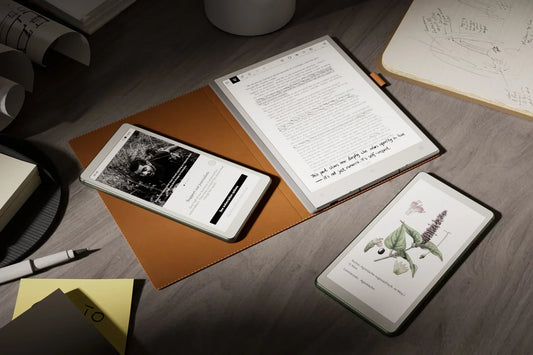
Android eReader: Flexibility Meets Your Reading Routine
Your reading shouldn't feel like a tug of war between "calm like paper" and "flexible like Android." An Android eReader...
-

Kaleido 3: Color E Ink That Still Feels Like Paper
Kaleido 3 is what happens when E Ink stops being strictly black and white and starts speaking in soft, useful...
-

AiPaper Reader C: Kaleido 3 Color, Focused Daily Reading
You know that moment when a grayscale chart or map on your ereader feels like it's hiding half the story,...
-

AI Button on Viwoods AiPaper Reader: Tap for On-Page Answers
When you’re locked into a page, and something doesn’t quite click, the last thing you want is to grab your...
-

eReader Decision Path: Screen Clarity, Apps, AI, Pocket Fit
An ereader feels like a calm upgrade to your reading life, with crisp paper-like text, long battery life, a whole...
-

Launching AiPaper Reader: Bring Reading into the AI Era
Meet AiPaper Reader, our smallest, sharpest Android ereader from "I'll look that up later" to "I've got the answer right...


Paper Tablet Notes, Templates, and Methods
-

Paper Tablet for Meetings: Notes to Action Items
Replace scattered meeting notes with a calmer workflow. Learn how Viwoods AiPaper helps prepare agendas, capture handwritten notes, summarize decisions,...
-

E Ink Tablet for Training and Onboarding: Manuals, Notes and Knowledge Capture
A practical guide to connecting role-based manuals, trainee notes, manager checklists, knowledge capture, and revision control in one onboarding workflow.
-

E Ink Tablet for Project Handoffs: Review Notes, Open Issues and Next Steps
A practical workflow for reviewing versioned handoff packages, separating clarifications from defects, tracking open issues, transferring ownership, and recording acceptance...
-

E Ink Tablet for Field Teams: Offline Notes, Forms and Daily Review
A practical field-team workflow for preparing offline forms, recording site observations and exceptions, checking completeness, and reviewing daily handoffs.
-

E Ink Tablet for Executive Briefings: Read, Mark, Decide and Follow Up
Executive briefings demand more than fast note-taking. This guide explains how to prepare a decision-ready packet, mark facts and risks,...
-

How to Evaluate an E Ink Tablet Demo for a Business Team
Plan an E Ink tablet business demo around real files, representative roles, workflow handoffs, weighted scoring, and clear acceptance criteria....
-

E Ink Tablet Total Cost of Ownership for Business Teams
A practical guide to calculating the full lifecycle cost of an E Ink tablet deployment, including acquisition, training, support, accessories,...
-

E Ink Tablet for Compliance Audits: Checklists, Evidence Notes and Follow-Up
A practical workflow for organizing audit checklists, evidence IDs, nonconformities, corrective actions, daily gap checks, and documented closure on an...
-

Fabric vs Leather Tablet Case: Which Material Fits Daily Carry?
Fabric and leather tablet cases create different daily carry experiences. Compare grip, bag use, visible wear, cleaning needs, climate, and...
-

E Ink Tablet for Research Interviews: Interview Guides, Field Notes and Follow-Up
A practical guide to preparing interview questions, capturing field evidence, separating observations from interpretation and managing research follow-up.
-

How to Carry a Paper Tablet and Stylus Together Without Damaging the Screen
Learn how to keep a paper tablet and stylus together during short moves, commutes, and longer trips. Compare magnetic attachment,...
-

How to Protect an E Ink Tablet in a Backpack
A practical guide to protecting an E Ink tablet inside a backpack through better compartment choice, packing order, screen coverage,...


