
A practical guide to using a paper-like digital notepad for daily planning, quick notes, meeting notes, PDF review, templates, sync, and evening review. Compare AiPaper Mini and AiPaper to choose the right Viwoods setup for daily work.
A digital notepad for daily planning should feel faster than opening a phone and easier to organize than a paper notebook. This guide follows a real day: morning planning, quick capture, midday meetings, afternoon PDF review, and evening reset. It also explains when AiPaper Mini makes more sense than a larger paper tablet.
The Better Role for a Daily Notes Device
Daily notes usually fail for a simple reason: the capture place is too distracting, or the review place is too messy. A phone is fast, but it also pulls attention into messages and apps. A paper notebook feels natural, but it can become hard to search, move, or reuse.
Therefore, the best daily note tool sits between both worlds. It should support handwriting, schedules, to-do lists, quick ideas, templates, PDF marks, and sync. More importantly, it should make the next action clear.
A useful daily planning device should not become another place to scroll. It should help capture one idea, organize one day, review one document, or clean up one unfinished task without pulling the user into unrelated apps.
View AiPaper Mini
Why Phones Are Bad for Daily Notes
First, phones are built for switching. A note app may open quickly, yet it sits beside chat, email, news, social feeds, and reminders. The American Psychological Association explains that switching between tasks can carry productivity costs, which is why a phone often feels efficient but breaks focus during planning.
In contrast, a paper-like page creates a calmer boundary. It does not turn a reminder into a browsing session. It lets a rough thought stay rough, then gives it a place to become a task, a meeting note, or a project idea.
However, paper also has limits. Sticky notes get lost. Old pages become hard to organize. A paper planner cannot easily move a task from Monday to Friday. As a result, a focused e notebook can make daily planning more repeatable.
Reference: American Psychological Association on multitasking and switching costs.
Digital Notepad for Daily Planning: A Simple Workflow
A useful daily workflow should not depend on perfect mornings. Instead, it should work during normal days with meetings, reading, interruptions, and unfinished tasks. The structure below keeps the system simple without forcing a wide table or horizontal scrolling.
Morning
Schedule and priorities
Use a daily planner template to set a clear plan before messages start.
Result: the day begins with less noise.
Midday
Meetings and classes
Use a meeting note template for decisions, questions, owners, and next steps.
Result: discussion becomes follow-up.
Afternoon
PDFs, reports, reading
Use annotated document pages for useful marks instead of scattered highlights.
Result: reading becomes reviewable.
Anytime
Ideas and reminders
Use one quick capture inbox for loose thoughts before they fade.
Result: fewer lost ideas.
Evening
Review and reset
Use an end-of-day page to move, delete, or schedule unfinished tasks.
Result: tomorrow starts with less clutter.
Morning Plan
A morning plan should take five to ten minutes. First, fixed appointments go at the top. Next, three main outcomes define the day. After that, smaller tasks, errands, and loose reminders can sit below.
This layout helps because it separates what must happen from what may happen. For example, a student can plan classes and reading. A freelancer can protect one deep work block. A manager can list meetings and follow-ups without opening a phone.
Daily Plan Checklist
1. Write the date and one short theme.
2. Add fixed schedule items first.
3. Choose three important outcomes.
4. Keep small tasks in a separate list.
5. Leave space for quick notes and ideas.
6. Mark anything that needs a calendar slot.
7. Save one box for the evening review.

Quick Capture
Quick capture means writing before sorting. A sentence, task, sketch, title idea, quote, or question enters one inbox page first. Later, useful items move into the right notebook.
This is where a compact digital notepad becomes practical. It stays easy to open during a break, between meetings, or while reading. The goal is not perfect formatting. Instead, the goal is to catch ideas before they disappear.
However, quick capture needs cleanup. At the end of the day, each item should be kept, scheduled, moved, or deleted. Without that step, the inbox becomes another pile.
Midday Meetings, Classes, and Decisions
Meetings and classes create notes fast. Therefore, the page should not try to capture every sentence. A better structure records topic, decisions, open questions, owners, and next steps.
For students, this structure can separate definitions, examples, review questions, and exam tasks. For office work, it can turn a meeting into a short decision log. For creators, it can hold rough outlines before they become a script or draft.
In addition, a reusable template saves attention. The page already knows where decisions and follow-ups belong, so the note-taker can focus on the discussion.
Afternoon PDF Review and Reading
Afternoon work often brings PDFs, reports, reading files, manuals, or lecture documents. A phone is cramped for this. A laptop can work, but tabs and notifications often interrupt reading.
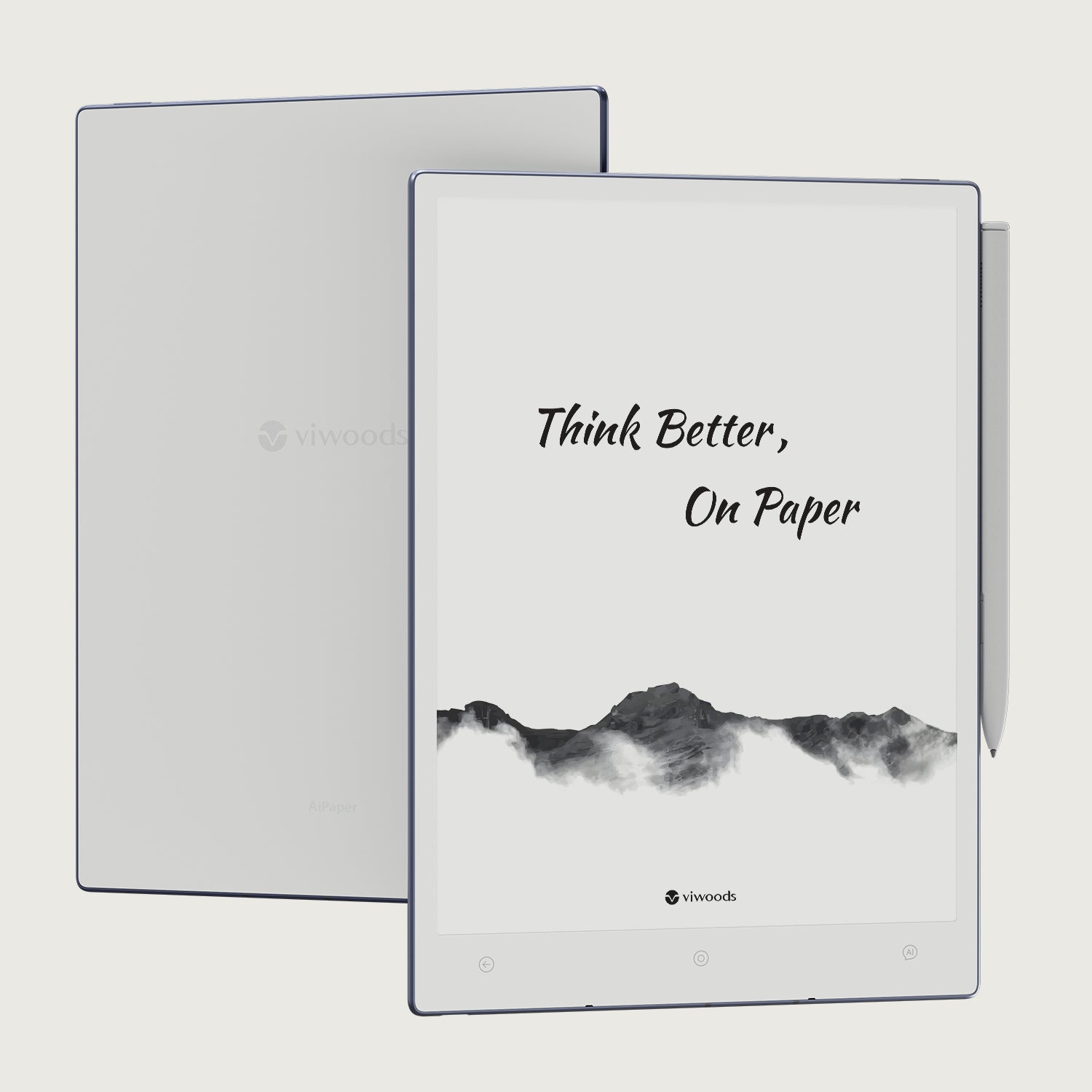
A larger writing surface helps when notes need space. Viwoods AiPaper is the better fit for dense documents, longer meeting notes, and project planning pages. The larger screen gives annotations more room.
A simple PDF method is enough. Use a star for important ideas, a question mark for unclear sections, and a checkbox for action items. This makes evening review faster.
Explore AiPaper
End-of-Day Review
Evening review turns loose notes into tomorrow’s plan. First, finished tasks can be checked off. Next, unfinished tasks can be moved, deleted, or rewritten. Finally, useful quick notes can move into project pages.
This step should stay short. Five minutes is enough for most days. The purpose is not to create a perfect archive. Instead, the purpose is to prevent ideas, decisions, and follow-ups from disappearing.
For example, a meeting action can move into tomorrow’s task list. A reading note can move into a study folder. A rough content idea can move into a draft outline. As a result, the device becomes a planning system, not just a writing surface.
Templates and Sync: Keep Notes Useful
Templates are useful when they reduce friction. They are not useful when they become decoration. Start with five layouts: daily plan, quick inbox, meeting notes, reading notes, and weekly review.
Sync matters after writing. A meeting note may need export. A PDF mark may need storage. A daily page may need weekly review. Therefore, folder names and file names should stay clear.
The simplest setup is usually the strongest. A daily notepad system should make notes easier to use tomorrow, not harder to maintain today.
Daily plan
Schedule, priorities, tasks, and review.
Quick inbox
Ideas, reminders, quotes, and sketches.
Meeting notes
Decisions, owners, questions, and next steps.
Reading notes
Main ideas, useful marks, and follow-ups.
Weekly review
Loose notes, unfinished tasks, and next-week priorities.
AiPaper Mini vs AiPaper
The right choice depends on the main setting. AiPaper Mini suits movement, quick notes, and light carry. AiPaper suits larger pages, long writing, PDF review, and desk-based planning. The paper tablet collection is the best place to compare the lineup.
Best for portability
AiPaper Mini
Excellent for morning planning, quick capture, short meetings, travel, campus movement, one-page daily planning, and lighter reading sessions.
View AiPaper MiniBest for larger pages
Viwoods AiPaper
Better for dense PDFs, long structured notes, desk planning, weekly layouts, larger annotation space, and deeper reading sessions.
View AiPaperBest Fit and Not Best Fit
Best fit
Students who need class notes, reading marks, and review pages.
Freelancers who need quick planning, project notes, and idea capture.
Office users who manage meetings, follow-ups, and document review.
Creators who draft outlines, sketches, scenes, titles, and rough concepts.
Managers who need a calmer place for decisions and daily priorities.
Not best fit
Heavy spreadsheet work that needs a laptop screen.
Fast video editing, visual design, or color-heavy creative work.
Tasks that require constant app switching and web browsing.
Shared team project tracking that needs live multi-user updates.
Entertainment-first tablet use, such as games or streaming.

Accessories That Actually Help
Accessories should solve real friction. A case helps with daily carry. A stylus supports longer handwriting. Replacement tips keep the writing feel consistent over time.
However, a simple setup is usually better. A device, case, stylus, and spare tips are enough for most routines. The daily carry accessories collection is the right path when protection and writing comfort matter.
For team use, planning should begin with workflow needs. Meeting notes, field review, PDF comments, or training documents may require a different setup. In that case, the Business Solutions page or Contact page gives a clearer next step.
Common Mistakes to Avoid
A digital notepad works best when the system stays simple. The goal is not to build a perfect archive on the first day. The goal is to make tomorrow easier to start.
Too many folders on day one
A complex system may look organized, but it slows capture. Start with Daily Plans, Quick Notes, Meetings, Reading, Projects, and Archive.
Treating every note as permanent
Some notes only need to survive until review. After that, they can become tasks, move into projects, or disappear.
Choosing by features alone
A compact device is better if it stays nearby all day. A larger device is better if document work and long notes happen often.
Buying Decision Path
The right next step should come from the main daily scene. Use the path below before choosing a model or accessory.
Choose AiPaper Mini
Best when quick notes, daily carry, travel, class movement, and short planning matter most.
View AiPaper MiniChoose AiPaper
Best when PDF review, long notes, desk planning, and larger page space matter most.
View AiPaperCompare the series
Best when screen size, portability, reading, note-taking, and workflow needs are still being compared.
Compare Paper TabletsFor teams
Best when meeting notes, PDF review, training documents, or team procurement need a shared plan.
Business SolutionsRelated Reading
For deeper planning, product comparison, and paper-like writing workflows, these related Viwoods guides are better next reads.
Buying guide
How to Choose a Paper Tablet
Compare screen size, writing feel, note tools, document handling, sync, and everyday fit.
Read GuideWork notes
E Ink Tablet for Work
A focused work setup for meeting notes, PDF annotation, task follow-up, sync, and review.
Read WorkflowBasics
Writing Tablet Basics
Understand E Ink writing tablets, handwriting feel, distraction-free use, and note organization.
Read BasicsFAQ
What is a digital notepad?
A digital notepad is a paper-like writing device for handwritten notes, daily plans, sketches, reading marks, and organized notebooks.
Is a digital notepad good for daily planning?
Yes. It works best with a morning plan, one quick capture page, and a short evening review.
Can it replace sticky notes?
It can replace many sticky notes for reminders, ideas, and to-do lists. Physical sticky notes may still help for visible wall reminders.
Which Viwoods model is more portable?
AiPaper Mini is more portable. It fits quick notes, daily planning, travel, campus movement, and light desk use.
Do I need accessories for daily carry?
A fitted case is useful for daily carry. Spare stylus tips are practical when handwriting is part of the daily routine.
Choose the Next Step
A good daily notes system should make planning clearer, capture faster, meetings easier to review, and tomorrow less messy. AiPaper Mini is the practical choice for portable daily planning. AiPaper is the better choice for larger documents and longer writing sessions.
Choose AiPaper Mini for quick notes, daily carry, and lightweight planning.
Choose AiPaper for PDF review, long notes, and desk-based planning.
Use accessories when protection and handwriting comfort are part of the routine.
Guides أقراص ورقية
How to Turn Meeting Notes into Action Items with AI
E Ink Tablet for Training and Onboarding: Manuals, Notes and Knowledge Capture
E Ink Tablet for Project Handoffs: Review Notes, Open Issues and Next Steps
E Ink Tablet for Field Teams: Offline Notes, Forms and Daily Review
How to Evaluate an E Ink Tablet Demo for a Business Team
E Ink Tablet for Compliance Audits: Checklists, Evidence Notes and Follow-Up
Fabric vs Leather Tablet Case: Which Material Fits Daily Carry?
How to Carry a Paper Tablet and Stylus Together Without Damaging the Screen
How to Protect an E Ink Tablet in a Backpack
How to Choose a Protective Case for an E Ink Paper Tablet
Paper Tablet Accessories Checklist: What You Need for Daily Carry
Viwoods AiPaper
$549.00

Viwoods AiPaper Mini
$429.00
قارئ Viwoods AiPaper الملون
$289.00
قارئ Viwoods AiPaper
$279.00