
A practical guide to choosing a notebook tablet for everyday carry, covering screen size, weight, E Ink comfort, quick notes, AI tools, battery life, and why AiPaper Mini fits portable reading and planning.
A notebook tablet for everyday carry should earn its place in the bag. The practical choice is not simply “small or large”: an 8.2-inch device is easier to carry and hold, while a 10.65-inch paper tablet gives long notes and full-page PDFs more room. The better size depends on what you actually do after you open the page.
This guide compares AiPaper Mini and AiPaper around real carry decisions—bag space, hand comfort, writing area, front-light needs, and PDF size—then shows when an AiPaper Reader is the cleaner choice because reading matters more than handwriting.
Start with the size decision
8.2 vs 10.65 Inches: Which Notebook Tablet Fits Everyday Carry?
Choose the 8.2-inch AiPaper Mini when the tablet has to move with you: commute notes, classroom reading, travel planning, short meeting pages, café work, and handwritten capture in small spaces. Its smaller footprint and lower weight make it more likely to leave the desk.
Choose the 10.65-inch AiPaper when the page itself is the priority. Full-page PDFs, longer handwriting sessions, detailed planning, research notes, and document review benefit from more visible context. The larger device is still portable, but it asks for more bag space and feels more like a work surface than a pocket notebook.
If most of your day is ebooks and articles with little handwriting, neither size decision should come first. The AiPaper Reader is the reading-first route because it prioritizes handheld reading and app access over a larger writing canvas.
Fast rule: Mini wins when you carry it more than you mark large pages. AiPaper wins when page space matters more than saving 140 g. Reader wins when handwriting is secondary.

Everyday carry in a real bag
Portability starts before the device turns on
AiPaper Mini measures 191 × 138 × 5.2 mm and weighs 230 g. Those numbers matter because they affect whether the device fits beside the items you already carry rather than requiring a larger bag or a separate sleeve.
A tablet that stays on the desk because it is awkward to pack is not an everyday-carry tablet, no matter how capable it is.
View AiPaper MiniTest the routine, not the spec sheet
A Five-Minute Carry Test Tells You More Than “Compact”
Before deciding that 8.2 inches is the right size, recreate one normal day. The goal is to find the point where portability starts costing too much writing or reading space.
If the Mini passes all three tests, the smaller screen is doing its job. If the bag test is easy but the page test is frustrating every week, the 10.65-inch AiPaper is the better compromise.
What the numbers change in real use
AiPaper Mini vs AiPaper: Size, Weight and Screen Trade-Offs
The Mini is not simply a cheaper small AiPaper, and AiPaper is not simply a larger Mini. The dimensions change where the device feels natural, while the display differences affect reading conditions and page density.
| Decision point | AiPaper Mini | AiPaper |
|---|---|---|
| Screen | 8.2 inches | 10.65 inches |
| Dimensions | 191 × 138 × 5.2 mm | 247 × 178 × 4.5 mm |
| Weight | 230 g | 370 g |
| Front light | Yes | None |
| Better fit | Carry, handheld reading, quick notes, smaller surfaces | Long writing, full-page PDFs, detailed review, desk work |
The Mini saves roughly 140 g and reduces the device footprint substantially. AiPaper gives that weight back as a larger working page. Neither is automatically better; the question is which compromise appears less often in your routine.
The smaller screen has a cost
Mini is not the best choice for heavy full-page PDF work
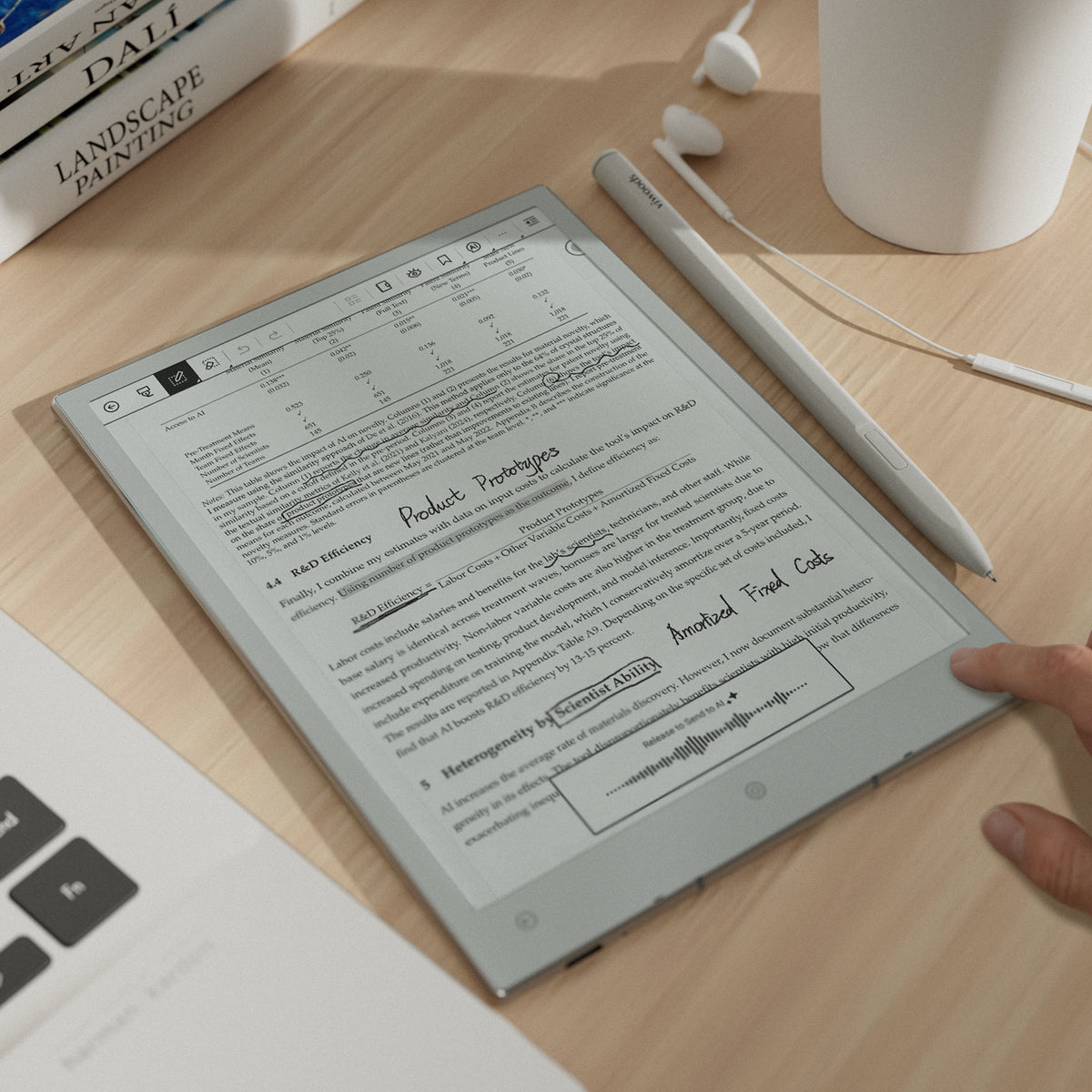
The 8.2-inch screen is practical for light markup, reading notes, and shorter documents. Dense A4 or Letter-size PDFs, multi-column papers, wide tables, and long handwritten review sessions can feel more comfortable on AiPaper because more of the original page remains visible.
If large PDFs are a weekly task rather than an occasional exception, compare the two screen sizes before choosing portability.
What the compact format gives up
Choose Mini Only When the Smaller Page Is Still Big Enough
Everyday carry is a frequency problem. A Mini used five times across the day can be more useful than a larger device that stays home. The trade-off becomes poor only when the smaller page repeatedly slows the main task.
This is why the right comparison is not “Which Viwoods device has more features?” It is “Which device leaves the fewest recurring compromises in my normal week?”
Match the device to the repeated task
AiPaper Mini vs AiPaper vs Reader: Which Route Fits You?
| Your normal routine | Best starting point | Why |
|---|---|---|
| Daily bag carry, short notes, reading and planning | AiPaper Mini | 8.2-inch format and 230 g weight reduce carry friction. |
| Heavy PDFs, long writing blocks and spacious planning | AiPaper | 10.65-inch screen keeps more page context visible. |
| Books, articles and apps with little handwriting | AiPaper Reader | Reading-first hardware is easier to justify when a writing canvas is not the main need. |

Handheld use changes the answer
A daily device should feel natural away from the desk
The Mini’s smaller body matters most when you read or review while seated away from a full workspace. That is where the 140 g difference versus AiPaper becomes noticeable as a usability decision rather than a specification.
If almost every session happens at a desk, the larger AiPaper may give up less than you think.
Resolve the trade-off before checkout
Four Things to Put Side by Side Before You Buy
Do this with your own routine rather than a generic feature checklist. You are looking for the requirement that would make the wrong size annoying every week.
Your actual bag
Check the device with case, stylus, charger and the other items you normally carry.
Your largest weekly PDF
If it is dense, wide or heavily annotated, screen size deserves more weight in the decision.
Your lighting
Mini has an adjustable front light; AiPaper does not. Night or low-light reading can change the better fit.
Writing frequency
Occasional notes favor portability. Long notes and document markup give a larger canvas more value.
A useful next step: if the Mini fits your bag and your difficult PDF still feels comfortable, start with Mini. If the PDF is the compromise you notice immediately, compare AiPaper before ordering. If handwriting barely appears in the test, move to the Reader path instead.
Common size questions
FAQ
When does AiPaper Mini make more sense than a larger paper tablet?
AiPaper Mini makes more sense when portability is part of the job: commuting, class notes, travel planning, handheld reading, short meetings, and quick capture in small spaces. Choose the larger AiPaper when long writing sessions, dense PDFs, or full-page document review appear often enough to justify more screen area.
Is an 8.2-inch notebook tablet too small for PDFs?
Not for every PDF. Short documents, reading notes, and light markup can fit well. Dense A4 or Letter-size files, multi-column research papers, wide tables, and long handwritten review are the cases where the 10.65-inch AiPaper can be more comfortable.
How much lighter is AiPaper Mini than AiPaper?
AiPaper Mini is listed at 230 g, while AiPaper is listed at 370 g, a difference of about 140 g before accessories. The importance of that difference depends on whether you often hold the device or mostly use it on a desk.
Does front light matter for an everyday-carry notebook tablet?
It can. AiPaper Mini includes an adjustable front light, while AiPaper does not. If evening reading, flights, dim cafés, or bedside use are common, that difference should be part of the size decision rather than treated as a minor specification.
Should I buy AiPaper Reader instead of AiPaper Mini?
Choose the Reader path when books, articles, reading apps, and handheld reading dominate and handwriting is occasional. Choose Mini when you need a portable device that regularly moves between reading and stylus-based notes or planning.
Final purchase direction
Choose the Size That Removes the Most Frequent Friction
AiPaper Mini is the stronger everyday-carry choice when 8.2 inches is enough for your normal pages and you value a 230 g device, smaller dimensions, and front-light reading. AiPaper is worth the extra size and weight when large PDFs, long handwriting, and full-page context are recurring tasks. If writing rarely enters the routine, compare the AiPaper Reader instead.
Before ordering, put three things side by side: your actual carry bag, the largest PDF you open every week, and the lighting where you normally read. Those three checks will tell you more than a generic “portable” label.
Guides أقراص ورقية
E Ink Tablet for Training and Onboarding: Manuals, Notes and Knowledge Capture
E Ink Tablet for Project Handoffs: Review Notes, Open Issues and Next Steps
E Ink Tablet for Field Teams: Offline Notes, Forms and Daily Review
E Ink Tablet for Executive Briefings: Read, Mark, Decide and Follow Up
How to Evaluate an E Ink Tablet Demo for a Business Team
E Ink Tablet Total Cost of Ownership for Business Teams
Fabric vs Leather Tablet Case: Which Material Fits Daily Carry?
E Ink Tablet for Research Interviews: Interview Guides, Field Notes and Follow-Up
How to Carry a Paper Tablet and Stylus Together Without Damaging the Screen
How to Protect an E Ink Tablet in a Backpack
Paper Tablet Accessories Checklist: What You Need for Daily Carry
EMR Stylus Troubleshooting: Why Strokes Skip, Offset or Fail to Register

Viwoods AiPaper
$549.00

Viwoods AiPaper Mini
$429.00

قارئ Viwoods AiPaper الملون
$289.00

قارئ Viwoods AiPaper
$279.00