
Learn what to check when choosing a paper tablet for PDF annotation, document markup, file workflow, focused reading, and long document review.
A digital paper tablet is a strong choice for PDF annotation when the document is something you need to work on, not simply open once. Full-page reports, research papers, contracts, manuals, and drafts benefit from enough page space to read the surrounding text while adding handwritten comments, highlights, questions, and review marks.
The practical test is simple: open the PDFs you actually use, mark them the way you normally would, then make sure the annotated file can leave the device in a form you can still use. This guide shows what to check before choosing AiPaper, a smaller reader, or a laptop-first workflow.
Start with the workload
Is a Digital Paper Tablet Good for PDF Annotation?
Yes—when PDF work involves repeated reading, handwriting, highlighting, and follow-up. A larger E Ink writing surface is especially useful when page layout matters: two-column research papers, contracts with margin comments, reports with tables, or manuals where a diagram and the surrounding explanation need to stay visible together.
It is less compelling when PDFs are occasional attachments you only read once. In that case, a compact reader may be easier to carry. A laptop also remains the better tool when the job is heavy text editing, spreadsheet work, form building, or complex file management.
Simple decision: choose a paper tablet when the PDF becomes a working document. Choose a smaller reader when it stays reading material. Keep the laptop when the file itself needs substantial editing.
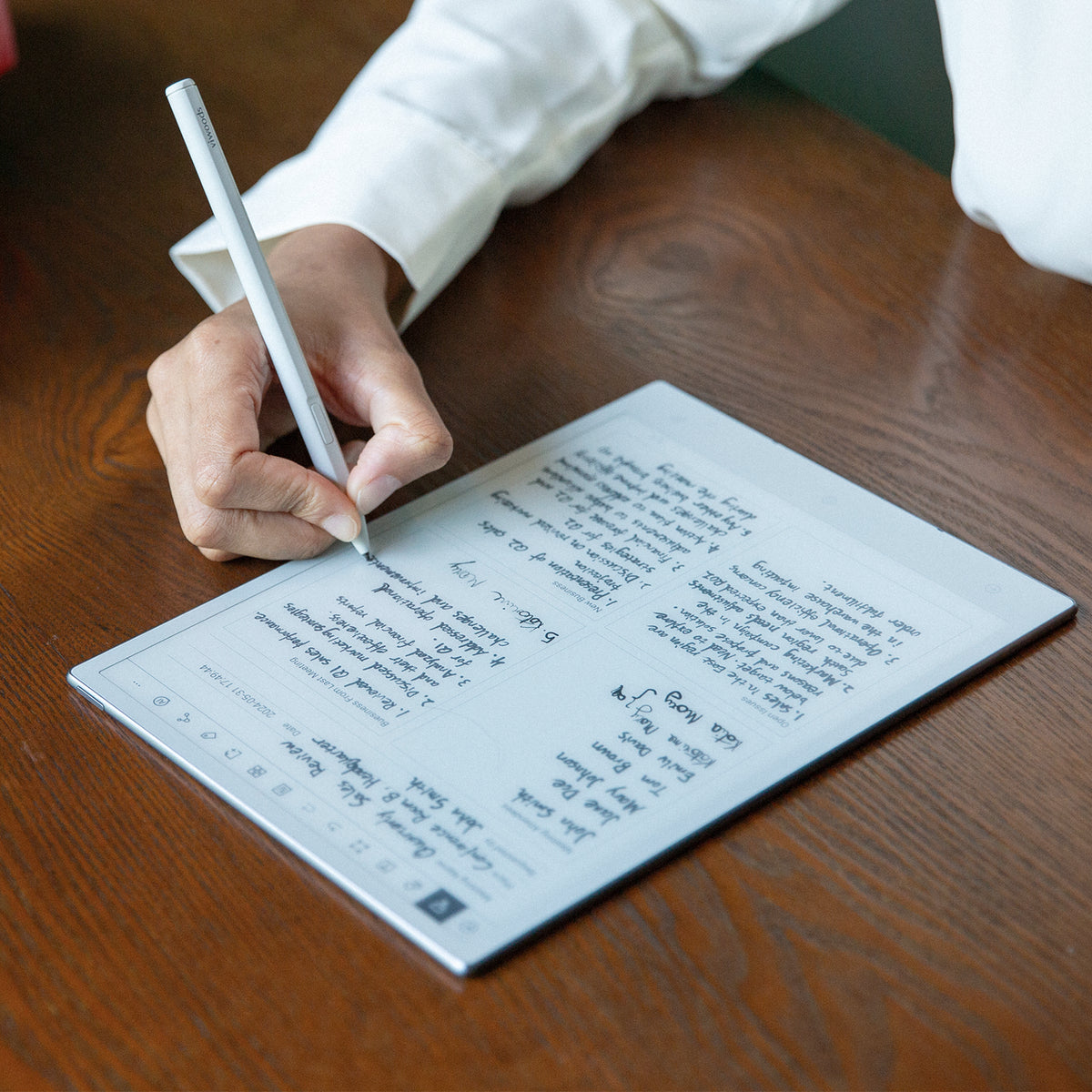
PDF REVIEW ON AIPAPER
AiPaper makes sense when the pen stays beside the document
The current AiPaper product page positions the 10.65-inch model around handwriting, PDF review, annotation, landscape viewing, highlights, and tags. That makes it the relevant Viwoods path when full-page documents need repeated review rather than occasional reading.
Do not choose it only because it is larger. The extra page area earns its place when you regularly need context around your marks.
View AiPaperTest the difficult files first
Bring Three Real PDFs Before You Compare Features
The easiest PDF in your folder tells you very little. A useful buying test starts with the files most likely to expose a screen or workflow problem.
If all three files remain readable and your marks stay easy to place, screen size is probably sufficient. If you spend most of the test zooming, panning, or hiding the text under notes, portability is costing too much.
Page context before specifications
A PDF Can Open Correctly and Still Feel Too Small
PDFs usually keep their original layout. That is different from an ebook that can reflow text to match the screen. A page may technically load on a small device while charts, footnotes, columns, and margin space become uncomfortable to review.
The question is not “Can this tablet open PDFs?” It is “Can I understand the page and write on it without fighting the viewport?” For document-heavy work, that distinction matters more than a long list of optional features.
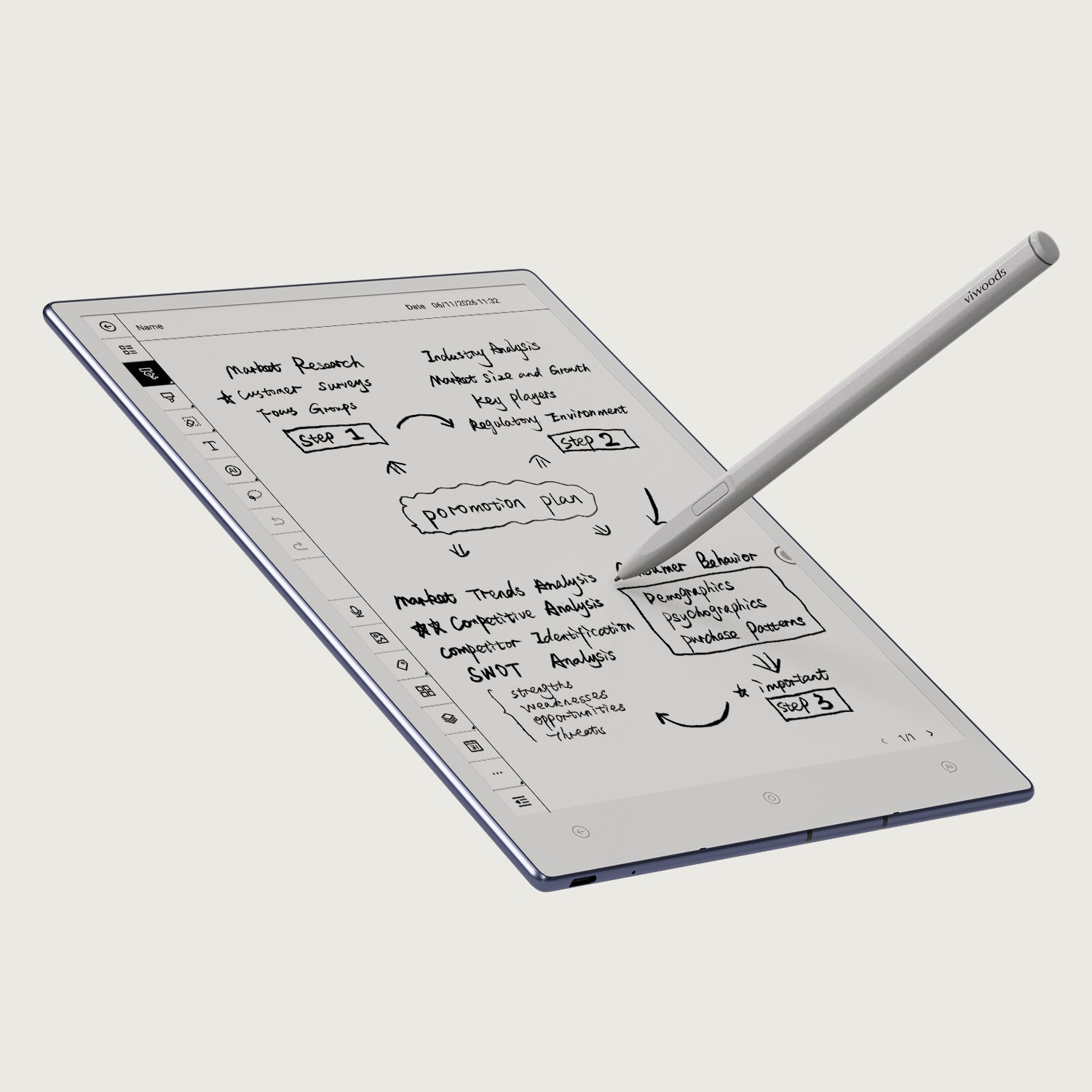
What “enough screen” looks like
You should be able to keep the sentence, nearby paragraph, relevant figure, and your annotation in view at the same time. Landscape mode can help with wide tables and multi-column layouts, but it should not become a workaround for every page.
For pure reading, smaller hardware may be the better trade. For repeated page-level markup, more visible context usually matters more.
Marks need a purpose
The Best Annotation Tools Are the Ones You Can Reuse Later
A pen and highlighter are only the beginning. Useful review depends on whether your marks help you find a decision, risk, citation, question, or revision later. That means quick tool access, consistent marks, and some way to identify important pages after the first pass.
Adobe’s PDF guidance treats comments as more than highlighting; review can include freehand marks, shapes, notes, and other comment types. The same principle applies on E Ink: the toolset should match the kind of review you actually perform, not simply look impressive on a specification page. See Adobe’s PDF commenting guide.
Questions
Use a consistent mark for passages that need clarification or follow-up.
Evidence
Highlight only the lines you expect to quote, reuse, or compare later.
Action
Use short margin notes for decisions, revisions, owners, or next steps.
Return points
Tags or page-level organization are useful when the document will be reopened.
The checkpoint buyers often miss
Do Not Finish the Test Until the Marked PDF Leaves the Tablet
A pleasant writing surface can still be the wrong purchase if the review stops on the device. Ask where the original PDF comes from, where the annotated version needs to go, and whether another person or program can read the result.
For work or study, version control also matters. You may need to keep an untouched original beside the reviewed copy, use a naming convention, or return the marked file to a shared folder. Test the entire route rather than assuming “PDF support” covers it.
| Checkpoint | What to verify | Why it matters |
|---|---|---|
| Import | Can your normal files reach the device without changing the routine? | A good review workflow should not begin with manual cleanup every time. |
| Markup | Do notes, highlights, and page navigation stay comfortable on the difficult PDF? | The hard file—not the demo file—should determine fit. |
| Export | Can the marked file return to your laptop, folder, archive, or team? | Annotations are useful only when the next step can access them. |
| Reopen | Open the exported file again on the device you normally use next. | This reveals formatting, version, and compatibility problems before purchase. |
Match the tool to the PDF workload
Where AiPaper Fits—and Where It Does Not
AiPaper is the clearest Viwoods direction when a PDF repeatedly moves between reading and handwriting. The current product page lists a 10.65-inch display and features for PDF/document annotation, landscape viewing, highlighting, tags, and organized notes. Those capabilities matter most when documents stay active after the first read.
Choose AiPaper when annotation is part of the work
Good fit: research papers, contracts, policy files, long reports, manuals, manuscripts, meeting packs, and review copies that need handwriting or repeated return visits.
Consider a smaller reader instead: ebooks, saved articles, lightweight PDFs, and portable reading where handwritten markup is rare.
Keep the laptop involved: final formatting, heavy text editing, spreadsheets, complex forms, and workflows that rely on desktop applications.
View AiPaper Compare Paper Tablets| Your normal PDF use | Better direction | Reason |
|---|---|---|
| Daily full-page review with handwritten comments | AiPaper | More page context for fixed layouts and repeated markup. |
| Mostly ebooks and short PDFs, little handwriting | eReader line | Portability matters more than a large annotation surface. |
| Heavy editing, layout changes, spreadsheets, or desktop tools | Laptop-first workflow | E Ink is better used for focused review than complex production work. |
Avoid the expensive mismatch
Three Buying Mistakes That Show Up After the Return Window
Common purchase questions
FAQ
What is the best screen size for PDF annotation?
There is no single ideal size for every file. Fixed-layout PDFs become easier to review when the screen shows enough of the original page to keep text, figures, and annotations in context. If two-column papers and A4 or Letter-size documents are common, a larger paper tablet is usually more comfortable than a compact reader.
Is AiPaper a good choice for research papers and contracts?
It is a strong fit when those files need repeated handwritten review. The larger 10.65-inch format is better aligned with full-page PDFs, margin notes, highlights, landscape review, and returning to marked pages later. For reading-only use, a smaller device may be enough.
Can a digital paper tablet replace a laptop for PDF work?
It can replace part of the review process: reading, handwriting, highlighting, and focused markup. A laptop remains better for heavy editing, complex file operations, spreadsheets, final formatting, and software that requires a desktop environment.
What should I test before buying a tablet for PDF annotation?
Test one dense two-column PDF, one document that needs handwritten comments, and one wide report or manual. Check portrait and landscape reading, add your normal marks, export the annotated file, and reopen it on the device you use next.
Should I choose a smaller eReader if I only read PDFs occasionally?
Possibly. If most of your library is ebooks, articles, and lightweight documents, portability may matter more than annotation space. A larger paper tablet makes more sense when full-page PDF review and handwriting are recurring tasks rather than occasional ones.
Final purchase direction
Buy for the PDF You Actually Have to Mark Up
Choose AiPaper when full-page PDFs, handwriting, landscape review, highlights, tags, and repeated document follow-up are part of the normal workload. Choose a smaller reader when PDFs are secondary to portable book and article reading. Keep a laptop in the workflow when the document needs complex editing rather than focused review.
Guides أقراص ورقية
Paper Tablet for Meetings: Notes to Action Items
E Ink Tablet for Project Handoffs: Review Notes, Open Issues and Next Steps
E Ink Tablet for Field Teams: Offline Notes, Forms and Daily Review
How to Evaluate an E Ink Tablet Demo for a Business Team
E Ink Tablet Total Cost of Ownership for Business Teams
How to Carry a Paper Tablet and Stylus Together Without Damaging the Screen
How to Store an EMR Stylus Safely: Protect the Nib, Magnet and Tablet
EMR Stylus Troubleshooting: Why Strokes Skip, Offset or Fail to Register

Viwoods AiPaper
$549.00

Viwoods AiPaper Mini
$429.00

قارئ Viwoods AiPaper الملون
$289.00

قارئ Viwoods AiPaper
$279.00