
A practical guide to choosing a focused digital reader for E Ink reading, AI support, app-based ebooks, saved articles, study material and Viwoods eReader selection.
The best digital reader is not automatically the model with the longest feature list. It is the device that can open your real books, apps, articles, and documents at a comfortable size without forcing you to change the way you read.
This guide uses a practical buying test: three representative files, two essential apps, and one normal reading session. The result will show whether you need a simple ebook reader, a compact Android E Ink reader, color E Ink, or a larger paper tablet for PDFs and handwriting.
Article navigation
Start with the result
Best Digital Reader: Match the Device to the Page
Your normal reading material should decide the category before brand, storage, or optional features enter the conversation. These four routes cover most buying decisions.
One-store books
A simple reader may be enough
Choose the simplest reliable ecosystem when nearly every book comes from one store and you do not need several reading apps, cloud folders, or AI tools.
Books plus apps
Choose compact Android E Ink
This route fits readers whose library crosses ebook apps, saved articles, web pages, cloud files, and occasional AI assistance.
Color carries meaning
Choose color E Ink
Color earns its place when charts, maps, diagrams, comics, covers, or color-coded study pages appear often enough to affect comprehension.
Large PDFs and notes
Choose a larger paper tablet
A pocket reader is not the right answer when full-page research papers, technical documents, handwriting, and repeated markup are the main work.
The useful rule: buy for the page you open every week, not for a feature you may use twice a year.
Use your real library
Run This 15-Minute Test Before Comparing Models
A specification page cannot tell you whether a dense PDF will feel cramped, whether an essential reading app will sign in, or whether a color chart still makes sense in grayscale. A short content test can.
1
Pick three representative files
Use one easy file, one normal file, and one difficult file. Include the content that could break the purchase: a two-column PDF, a color chart, a long web article, or a book from a required app.
2
Name two essential apps
Write down the services you cannot replace. Check installation, account sign-in, region rules, offline downloads, DRM restrictions, and whether the interface remains usable on E Ink.
3
Describe one normal session
Follow the full path: where the content arrives, how you open it, whether you need a lookup or translation, how you save progress, and whether anything must leave the device afterward.
| Test result | Best direction | Warning sign |
|---|---|---|
| Nearly all reading is reflowable text from one ecosystem | A simple closed reader | Paying for apps and AI that do not solve a real need |
| Books, articles, cloud files, and several reading apps share the week | Compact Android E Ink reader | Assuming every Android app behaves well on E Ink |
| Color is essential in charts, maps, diagrams, or comics | Color E Ink reader | Expecting tablet-like brightness, video, or glossy photo color |
| Large fixed pages, detailed annotations, and handwriting dominate | Larger paper tablet | Choosing portability while accepting constant zooming and panning |
Use the hardest file as the final test
A device that handles the easiest ebook but struggles with the document, app, or visual page you rely on most is not the right purchase. Resolve that difficult case before comparing optional features.
The page decides
Choose the Screen Before the Optional Features
E Ink is designed around a paper-like, reflective display experience rather than the bright, fast behavior of a conventional entertainment screen. The E Ink technology overview is useful background, but the purchase decision still begins with the page you read most often.
01Monochrome
Text carries the page
Novels, essays, newsletters, reports, language reading, and long articles usually preserve their meaning in black and white. A monochrome screen keeps the choice direct when paragraphs—not visual coding—do most of the work.
Choose it when: most weekly reading is reflowable text and color would rarely change what you understand.
02Color E Ink
Color changes the meaning
Color becomes useful when grayscale merges chart lines, hides map categories, weakens diagrams, or removes cues from comics and illustrated study material. It should solve a repeated reading problem, not simply look more advanced.
Choose it when: visual categories, illustrations, or color-coded references appear often enough to affect comprehension.
03Page area
Fixed layouts need more room
A compact reader suits reflowable text and portable app-based reading. Dense A4 or Letter-size PDFs, two-column papers, handwriting, spreadsheets, and detailed markup often need a larger surface before software features matter.
Choose it when: full-page review and handwriting are more important than pocket carry.
Use this decision order: check page fit first, decide whether color preserves meaning second, and compare apps or AI only after the screen category is clear.
Useful only with a job
App Access and AI Should Remove a Real Reading Block
Android access is valuable when it brings several required reading sources onto one calm screen. It is not a promise that every app will install, sign in, display correctly, or support offline use in every country.
AI has a similarly narrow job. It can help with an unfamiliar term, a short explanation, a section summary, or translation when the available model and prompt support the task. It should not be the reason to ignore screen size, content access, or file handling.
Check the app path
- How is the app installed?
- Can the required account sign in in your region?
- Do DRM-protected books or library loans open?
- Are offline downloads available?
- Does scrolling, page turning, and text input remain usable on E Ink?
Give AI a defined role
- Clarify a selected passage without opening several browser tabs.
- Translate a phrase while keeping the original page in view.
- Create a short recap after reading, not before reading.
- Ask a focused question about context instead of requesting a generic summary of everything.
- Keep important conclusions in your own notes or files.
Do not buy on the word “Android” alone
The useful question is whether your required app can install, sign in, open protected content, download for offline reading, and remain usable on E Ink. Contact Viwoods before ordering when one app or regional account is essential.
Turn the test into a choice
Which Viwoods Device Fits Your Result?
The three products solve different reading problems. The right recommendation should also state when a model is not the best fit.
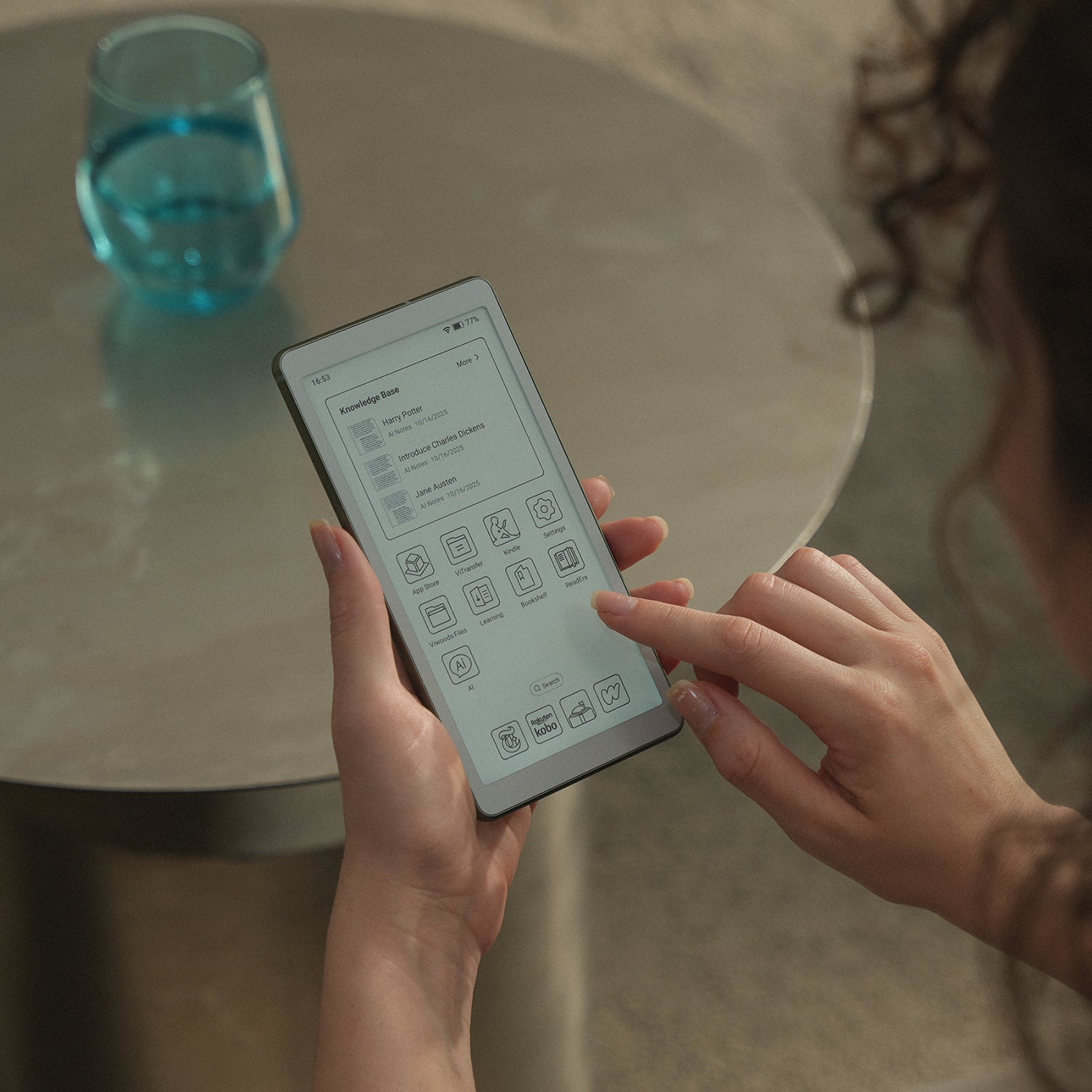
Portable text and apps
AiPaper Reader
Choose AiPaper Reader for novels, long articles, newsletters, language reading, cloud files, and several reading apps in a compact monochrome format.
Less suitable when: Choose another format when color is essential, dense fixed-layout PDFs dominate, or handwriting is a primary task.
View AiPaper Reader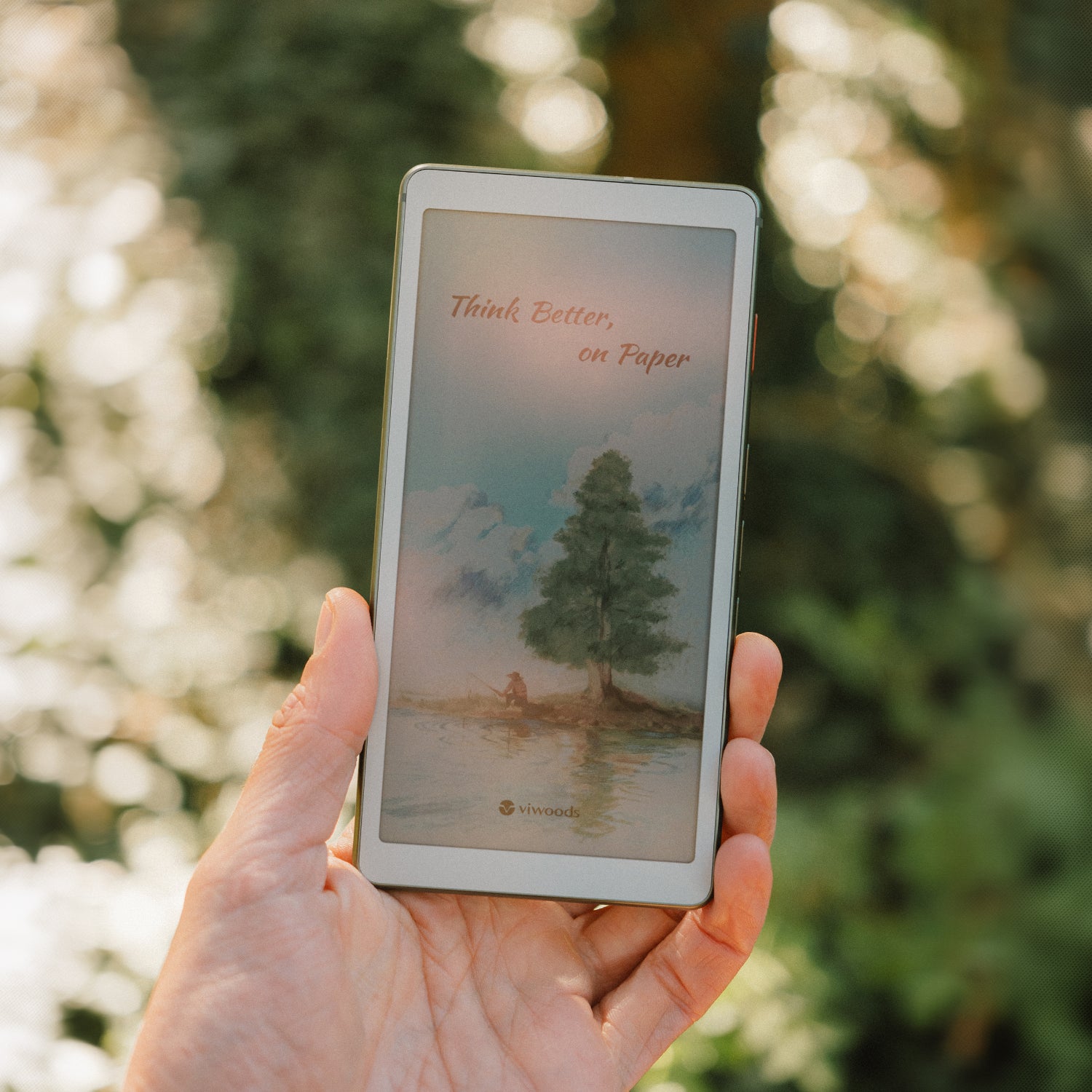
Portable visual reading
AiPaper Reader C
Choose Reader C when charts, maps, illustrated references, comics, covers, and color-coded study pages form a normal part of the week.
Less suitable when: Do not choose color only because it sounds more advanced; E Ink color is designed for reading rather than fast media playback.
View AiPaper Reader C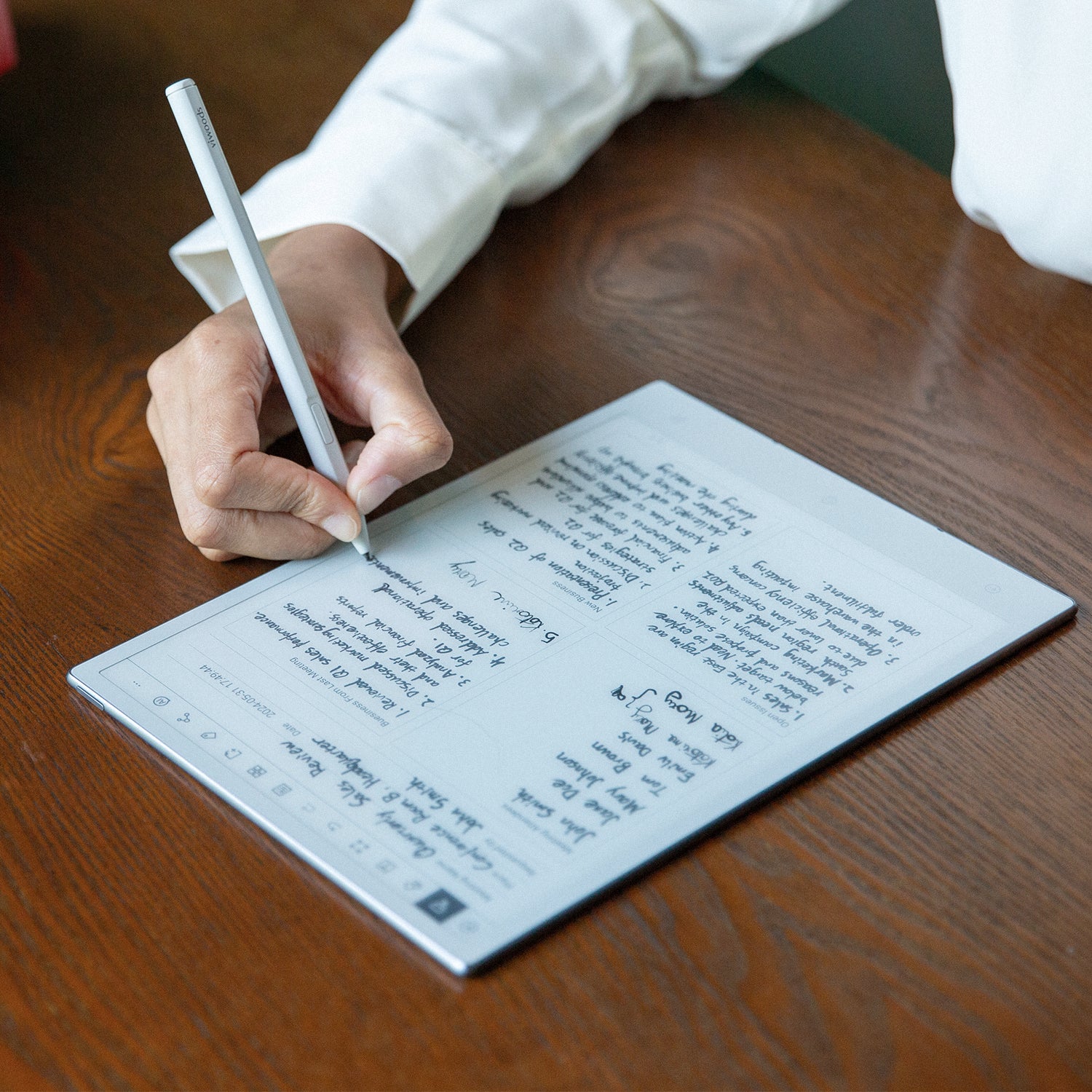
Large review and handwriting
Viwoods AiPaper
Choose the larger AiPaper when research papers, reports, handwritten notes, repeated annotation, and full-page review matter more than pocket carry.
Less suitable when: A larger writing surface is unnecessary when the main need is lightweight book reading and occasional reference.
View Viwoods AiPaperNo universal winner: a closed reader can still be the better purchase for a one-store novel library, and a regular tablet remains the better tool for video, fast animation, creative color apps, or desktop-style multitasking.
Resolve the risk
Six Questions to Answer Before Checkout
A buying decision is ready when the content path is clear, not when the feature list looks impressive.
1. Main content: What do you open most—books, articles, visual pages, or fixed-layout PDFs?
2. Essential services: Which apps, stores, library accounts, or cloud tools cannot be replaced?
3. Page fit: Does the most difficult file remain readable without constant zooming?
4. Color value: Does color preserve meaning, or is it only decorative?
5. Reading environment: Have you checked front-light controls, offline use, carry size, and normal session length?
6. Complete order: Have you checked the current bundle, delivery, warranty, return terms, taxes, and regional duties?
Ask before ordering when one app or file type is essential
Send Viwoods the app name, account region, document type, and a description of the reading task. A specific compatibility question is more useful than asking whether the device “supports reading apps” or “supports PDFs.”
Ask Viwoods About Your WorkflowCommon buying questions
FAQ
What is the best digital reader for most people?
There is no single best model for every library. A simple closed reader is often enough for one-store novels. A compact Android E Ink reader fits books, articles, apps, and cloud files from several sources. Color E Ink fits visual material, while a larger paper tablet is safer for dense fixed-layout PDFs and handwriting.
Is AiPaper Reader better than a basic ebook reader?
It is better only when its open workflow solves a real problem. AiPaper Reader makes sense when your books and articles come from several apps or files, or when on-page AI and cloud access are useful. A basic reader may be the cleaner purchase when nearly everything stays inside one bookstore and simplicity matters most.
Should I buy a monochrome reader or a color reader?
Choose monochrome when books, essays, newsletters, and text-led documents dominate. Choose color when charts, maps, diagrams, comics, covers, or color-coded study pages appear regularly and lose useful meaning in grayscale. Do not choose color only because it sounds like the more advanced option.
Can a compact digital reader handle PDFs?
It can handle many text-led or single-column PDFs, but the file name alone does not predict comfort. Dense A4 or Letter pages, two-column papers, spreadsheets, drawings, and detailed annotations may require frequent zooming. Test representative files and consider a larger AiPaper when full-page review is central.
Do all Android reading apps work well on E Ink?
No. Installation and good usability are separate questions. Account region, DRM, offline downloads, animation, scrolling, gestures, and refresh behavior can affect the experience. Confirm any essential app instead of relying only on the Android version.
Is AI a good reason to replace my current reader?
AI is a useful reason only when lookups, translation, explanations, or short recaps regularly interrupt your reading. It should be treated as a support layer, not as a substitute for compatible books, comfortable page size, reliable file access, or careful reading.
Use the test result
Choose the reading path, then check the product
Start with AiPaper Reader for compact text-first reading across apps and files. Choose Reader C when color repeatedly preserves useful information. Move to AiPaper when large PDFs and handwriting matter more than pocket carry. Contact Viwoods before ordering when one app, regional account, or difficult document is essential.
Guides Paper Tablet
E Ink Tablet for Training and Onboarding: Manuals, Notes and Knowledge Capture
E Ink Tablet for Field Teams: Offline Notes, Forms and Daily Review
E Ink Tablet Total Cost of Ownership for Business Teams
Fabric vs Leather Tablet Case: Which Material Fits Daily Carry?
How to Carry a Paper Tablet and Stylus Together Without Damaging the Screen
How to Protect an E Ink Tablet in a Backpack
How to Choose a Protective Case for an E Ink Paper Tablet
Paper Tablet Accessories Checklist: What You Need for Daily Carry
How to Clean an E Ink Tablet Screen Safely: A Practical Care Guide

Viwoods AiPaper
$549.00

Viwoods AiPaper Mini
$429.00

Viwoods AiPaper Reader Colour
$289.00

Viwoods AiPaper Reader
$279.00