
Compare paper tablet vs iPad for focused writing, note-taking, PDF reading, and distraction-free work. This guide explains when iPad is better for all-purpose tasks and when Viwoods AiPaper or AiPaper Mini is better for calm handwriting, planning, and long reading sessions.
Choosing between a paper tablet vs iPad is really a choice between two work styles. One screen supports broad digital tasks, while the other protects reading, handwriting, and deep work from everyday app noise.
An iPad is stronger when one device must handle many jobs: web research, video calls, color apps, media, presentations, drawing, messaging, and fast app switching. A paper tablet is better when the main goal is calm handwriting, PDF review, long reading, study notes, meeting planning, and a low-distraction writing space.
Practical Answer: Choose by the Work You Need to Protect
For focused writing, a paper tablet is usually the better fit. It creates a calmer page, supports handwriting-first work, and keeps entertainment away from the note-taking space.
However, an iPad is stronger when one device must handle many jobs. It suits web research, video calls, color apps, media, presentations, drawing, messaging, and fast app switching.
Therefore, the best answer is not which device is better overall. The better question is which device protects the task that matters most. For notes, PDFs, reading, and planning, a dedicated E Ink writing tablet often makes the work easier to begin and easier to finish.
Simple rule: choose iPad for all-purpose digital work. Choose a focused writing tablet when reading, handwriting, document review, and low-distraction planning are the main goals.

Paper Tablet vs iPad: Main Differences
At a distance, both devices may look like a screen with a stylus. In use, they feel very different. An iPad is built around speed, apps, color, and multimedia. A paper tablet is built around handwriting, reading, annotation, and a quieter screen experience.
The display changes the work rhythm. E Ink explains that LCD screens emit light from behind the display, while ePaper reflects light from the surrounding environment, closer to printed paper. That difference is one reason E Ink can feel more natural for many long reading and note-taking sessions.
Screen and reading
Calm text vs bright color
Use E Ink for long text and PDF review. Use iPad for color-heavy work, video, and fast motion.
Writing feel
Paper-like vs glass
Use paper-style screens for long notes, outlines, and reading marks. Use iPad for art and fast visual edits.
Apps and focus
Fewer exits from the page
iPad gives broad apps. A paper tablet narrows the space around notes, reading, PDFs, and planning.
Everyday value
Buy for the daily job
iPad value comes from flexibility. Paper tablet value comes from reading comfort, focus, and organized notes.
Writing Feel: Why the Surface Matters
Writing feel decides whether a device becomes a real notebook or just another screen. The hand notices friction, pen response, page space, palm comfort, and how naturally ideas can move across the page.
An iPad feels fast and smooth. That helps with sketching, color work, diagrams, and creative apps. However, the glass surface can feel slippery during long handwriting sessions unless a textured protector is added.
A paper tablet aims for a different feeling. The page feels quieter, the surface feels closer to paper, and handwriting becomes the main activity. Rough outlines, class notes, meeting maps, journal pages, and early drafts feel more natural when the device behaves like a writing surface first.
Why this matters in real work
During early thinking, ideas rarely arrive in a clean order. A page needs arrows, circles, boxes, rough edits, and unfinished lines. Therefore, a paper-like writing surface helps before the final typed document begins.
For writers, this can mean chapter outlines and scene notes. For students, it can mean lecture summaries and reading marks. For managers, it can mean agendas, decisions, and follow-up lists that stay separate from chat and email.

Distraction and Apps
More apps can be useful. However, more apps also create more exits from the page. A note-taking session may begin with a serious idea, then drift into email, news, messages, browser tabs, or video.
An iPad can reduce interruptions with focus settings and app limits. Still, it remains a powerful entertainment and communication screen. That strength becomes a weakness when the main goal is uninterrupted writing.
A distraction-free tablet works differently. It narrows the screen around notes, reading, PDFs, and planning. Therefore, the device develops a clear mental role: open it when the work needs attention, not more tabs.
When fewer features become an advantage
In a classroom, fewer app paths can keep reading and annotation closer together. In a meeting, a quiet writing device feels less intrusive than a laptop. At home, it can separate study and reading from entertainment screens.
For this reason, limited entertainment is not a weakness for focused writing. Instead, it becomes part of the product purpose. The device protects the page from the rest of the digital day.
PDF Reading and Document Review
PDF reading is one of the clearest reasons to choose a writing-first E Ink device. Long documents often need margin notes, highlights, page review, and calm attention. The screen should support reading rather than push the session toward multitasking.
An iPad handles colorful PDFs well. It is strong for fast zooming, slide decks, interactive files, image-heavy pages, and quick sharing across apps. However, long text-heavy reading can still feel like ordinary screen time.
On an E Ink tablet, a PDF feels closer to a printed packet. The page stays still, the pen is close to the text, and review marks stay attached to the document. Academic papers, contracts, scripts, lesson notes, proposals, and manuals become easier to read slowly.
Choose iPad for color-rich files, visual design, interactive PDFs, and fast app handoff. Choose an E Ink writing tablet for text-heavy PDFs, long reading, handwritten comments, and repeated review. For notes while reading, Viwoods AiPaper is the stronger fit because the larger page supports document margins, planning pages, and deeper review sessions.
Battery, Price, and Everyday Value
Battery life changes behavior. A device that always needs charging feels less like a notebook. Meanwhile, a device that waits on a desk or in a bag feels ready when an idea appears.
E Ink devices often support a calmer daily rhythm because static pages use less power than bright video screens. This is helpful during travel, long reading blocks, campus days, back-to-back meetings, and bedside planning.
Price should be judged by use, not only by hardware power. An iPad may deliver excellent value when one device must handle many tasks. However, a writing-first device creates value by reducing distraction and making notes easier to return to.
The better question is not which device has more features. It is which device will be used more consistently for the work that matters. A focused notebook that is opened every day can be worth more than a stronger screen that interrupts the task.
Who Should Choose Which?
The right choice becomes clear when the task is specific. Different routines need different screens. Use these common scenarios before choosing a device.
Lecture notes and study packets
Paper tablet
Notes, reading marks, and PDFs stay together without media distractions.
Creative drawing and color work
iPad
Color apps, fast response, and visual tools matter more for creative production.
PDF annotation and document review
Paper tablet
Text-heavy documents benefit from calm reading and pen markup.
Video meetings and presentations
iPad
Camera, apps, keyboard options, and display speed fit the job.
Quick notes while commuting
AiPaper Mini
A smaller screen is easier to carry and open often.
Management planning and meetings
Viwoods AiPaper
A larger page supports agendas, decisions, follow-up lists, and PDF review.
Pros and Limits
Paper tablet strengths
Supports calmer handwritten notes.
Separates reading from entertainment.
Works well for long text and PDF review.
Can become a dedicated deep-work notebook.
Paper tablet limits
Not built for video, games, or fast color work.
Screen refresh can feel slower than iPad.
App choice may be narrower by design.
Visual creative work often fits iPad better.
iPad strengths
Broad app ecosystem.
Strong color, speed, and media playback.
Stylus tools work well for creative tasks.
One device can cover many digital needs.
iPad limits
Broad capability can invite distraction.
Glass handwriting may feel less natural for long notes.
Entertainment apps sit close to every writing session.
Frequent charging can add daily friction.

Choose the Right Viwoods Model
A useful device should match the setting. Viwoods AiPaper and AiPaper Mini should not be chosen by size alone. The better choice depends on where writing happens and what type of document appears most often.
Best for long work blocks
Viwoods AiPaper
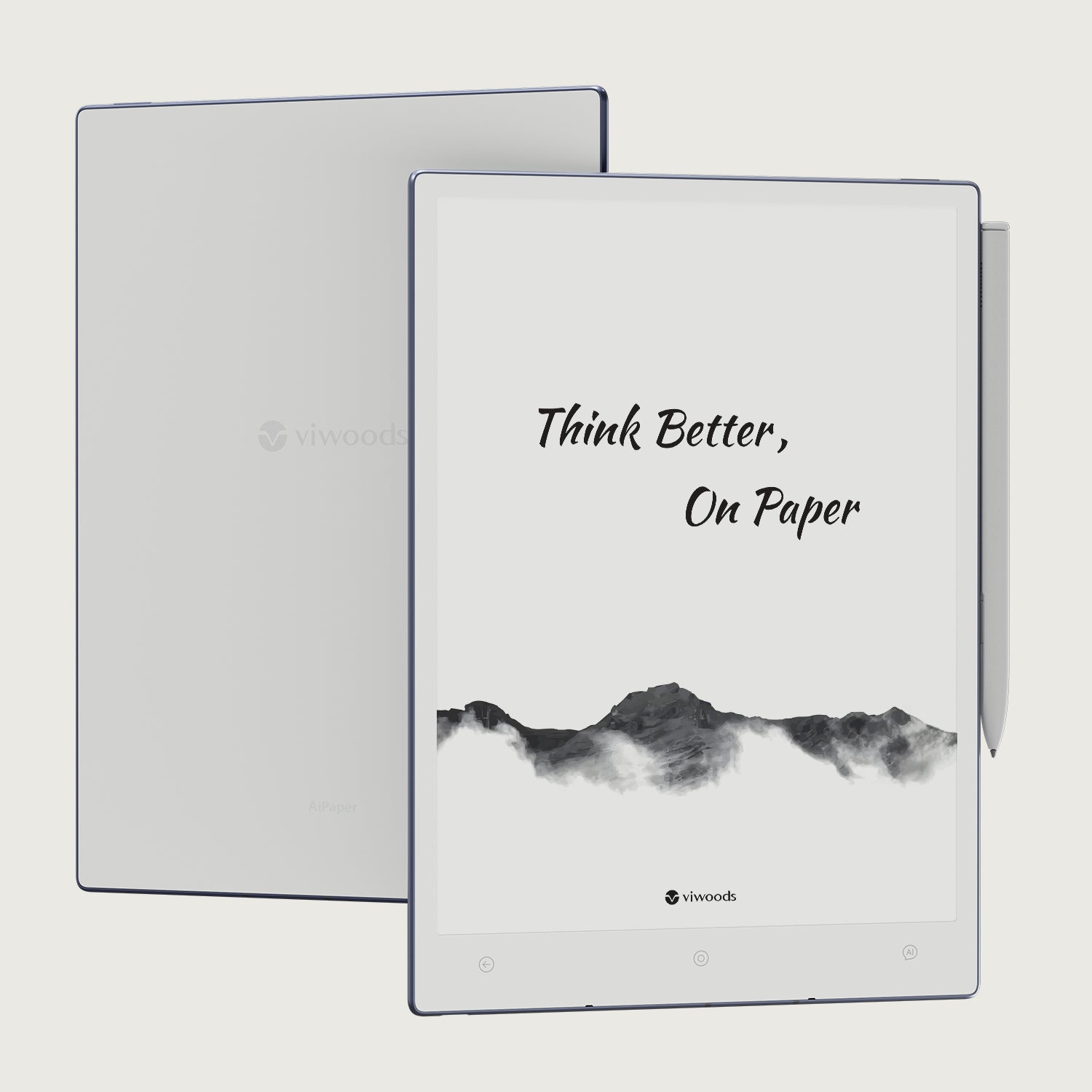
AiPaper is the stronger choice for desk-based writing, larger PDFs, planning pages, meeting notes, research review, and long outlines. The larger canvas gives more room for margins, diagrams, and structured pages.
View AiPaperBest for portable capture
AiPaper Mini
AiPaper Mini is better when a smaller device will be used more often. It fits quick capture, travel reading, coffee shop notes, bedside planning, daily schedules, and short review sessions.
View AiPaper MiniCommon Mistakes Before Buying
Comparing only specifications
Specifications matter, but they do not explain writing habits. The better test is whether the device makes note-taking easier to begin and easier to return to later.
Expecting one device to replace every screen
A universal device sounds efficient, but it can blur work modes. Role separation often works better.
Ignoring the document type
Color-heavy decks may fit iPad better. Long text, manuscripts, contracts, and proposals often feel better on E Ink.
Skipping the note system
Digital notes only help when they can be found again. Use simple folders for Daily Plan, Meetings, Reading, Drafts, PDFs, and Archive.
Practical Daily Workflow
A strong setup gives each device a job. Use iPad or a laptop for research, browser work, video calls, presentations, and final editing. Then, use an E Ink writing tablet for reading, notes, outlines, meeting minutes, and PDF review.
During morning planning, one handwritten page can hold priorities, meetings, open decisions, and a short task list. Afterward, only the useful tasks need to move into a calendar or project system.
During reading blocks, highlights and margin notes should stay close to the source material. This turns reading into reviewable knowledge. Later, the most important notes can become a summary, draft, or action list.
During meetings, a quiet writing device keeps attention on the conversation. After the meeting, decisions and next steps can be tagged or exported, so notes stay useful rather than buried.
Reference
For display basics, see E Ink’s official explanation of LCD versus ePaper display behavior: LCDs vs. ePaper: What’s the Difference?
FAQ
Is a paper tablet better than an iPad for notes?
Yes, for focused handwritten notes, reading marks, PDF review, and calm planning. However, iPad is better when notes need color apps, fast browsing, media, or heavy multitasking.
Can a paper tablet replace an iPad?
It can replace an iPad for notes, reading, PDFs, and planning. It should not replace an iPad for video calls, games, color design, presentation work, or broad app use.
Is E Ink better for focused writing?
Yes. E Ink creates a calmer page and reduces media-driven screen behavior. This makes it better for long notes, drafts, reading, and document review.
Which is better for PDF reading?
For long text-heavy PDFs, a paper tablet is usually better. For colorful, interactive, or image-heavy PDFs, an iPad is usually better.
Who should choose Viwoods?
Viwoods fits study, writing, management, research, family learning, and meeting workflows that need a calmer E Ink writing space. AiPaper fits longer work. AiPaper Mini fits portable capture.
Final Recommendation
iPad is the stronger all-purpose tablet. It works well for color apps, media, web research, presentations, and fast multitasking. However, focused writing often needs fewer exits from the page.
For long notes, reading, PDFs, meeting pages, planning, and quiet handwritten thinking, AiPaper is the clearest starting point. For portable notes and daily capture, AiPaper Mini is the easier carry.
Choose AiPaper for large PDFs, long notes, planning pages, and deep work blocks.
Choose AiPaper Mini for quick notes, portable reading, travel routines, and daily capture.
Use the contact path for team planning, business workflows, or purchase questions.
Guides Paper Tablet
E Ink Tablet for Field Teams: Offline Notes, Forms and Daily Review
E Ink Tablet for Executive Briefings: Read, Mark, Decide and Follow Up
How to Evaluate an E Ink Tablet Demo for a Business Team
E Ink Tablet Total Cost of Ownership for Business Teams
E Ink Tablet for Compliance Audits: Checklists, Evidence Notes and Follow-Up
E Ink Tablet for Research Interviews: Interview Guides, Field Notes and Follow-Up
How to Carry a Paper Tablet and Stylus Together Without Damaging the Screen
How to Protect an E Ink Tablet in a Backpack
Paper Tablet Accessories Checklist: What You Need for Daily Carry
How to Store an EMR Stylus Safely: Protect the Nib, Magnet and Tablet
EMR Stylus Troubleshooting: Why Strokes Skip, Offset or Fail to Register
How to Clean an E Ink Tablet Screen Safely: A Practical Care Guide
Viwoods AiPaper
$549.00

Viwoods AiPaper Mini
$429.00
Viwoods AiPaper Reader Colour
$289.00
Viwoods AiPaper Reader
$279.00