
Compare an e notebook, digital notepad and digital notebook by real use case, including quick notes, portable reading, PDF annotation, planning, and when to choose AiPaper Mini or AiPaper.
This e notebook vs digital notebook guide starts with an important point: the terms overlap. In most buying decisions, an e notebook means a paper-like E Ink device built around handwriting and focused reading, while a digital notebook can also mean a note app running on a conventional tablet, phone, or computer.
The right choice depends on screen and size, writing, reading, app access, file movement, portability, and total budget. Viwoods is strongest when handwriting, PDFs, structured review, and a calmer E Ink workspace matter more than video, animation, or a full-color tablet experience.
The practical answer
E Notebook vs Digital Notebook: Choose by the Work You Repeat
Choose an E Ink e notebook when your repeated work is handwriting, PDF markup, long-form reading, meeting notes, study pages, or planning that benefits from fewer visual distractions. Choose a conventional digital notebook setup when full color, fast animation, video, complex multitasking, or deep integration with a tablet-first app ecosystem matters more.
Choose an E Ink e notebook
Writing and focused review come first
Best for handwritten notes, reading-heavy work, PDF comments, planning, and users who want a paper-like screen rather than a media tablet.
Choose a conventional digital notebook
Color, media, and broad app behavior come first
Best for visual dashboards, video, rapid web work, full-color creative apps, and people who already own a tablet that supports their preferred note app.
No universal winner: AiPaper is a stronger fit for handwriting and document review. A regular tablet remains the better tool for color-intensive, media-heavy, or high-speed app workflows.
Compare the Four Decisions That Shape Daily Use
The labels e notebook and digital notebook overlap, so a useful comparison should follow the decisions that change the way the device is used. Screen and writing belong together; reading depends on both display behavior and app access; file movement affects portability; and budget only makes sense after the required workflow is clear. The broader paper tablet selection guide provides a closer look at screen size and document formats.
The fastest defensible decision
Choose AiPaper for full-page handwriting and PDFs, AiPaper Mini for portable notes, Reader or Reader C for reading without a pen, and a conventional tablet when color, video, fast multitasking, or broad app behavior matters most.
Who Should Choose Each Option?
The useful conclusion is not “E Ink always wins” or “a tablet does everything.” Match the device to the user, the main file type, and what must happen after a note is written.
Students and researchers
Choose AiPaper
Best when lectures, papers, PDF annotation, long notes, and later review belong in one workflow.
Meeting-heavy professionals
Choose AiPaper
Best for full meeting pages, action items, document comments, and structured follow-up after the meeting.
Daily planners and travelers
Choose AiPaper Mini
Best when portability matters and most pages are short notes, reading comments, schedules, or checklists.
Text-first readers
Choose AiPaper Reader
Best for books, articles, and portable reading when handwriting is not part of the requirement.
Readers of visual material
Choose Reader C
Best for color covers, charts, illustrated material, and visual reading without requiring pen input.
Color and media-first users
Keep a regular tablet
Best when video, animation, advanced creative apps, or rapid multitasking is more important than a paper-like display.
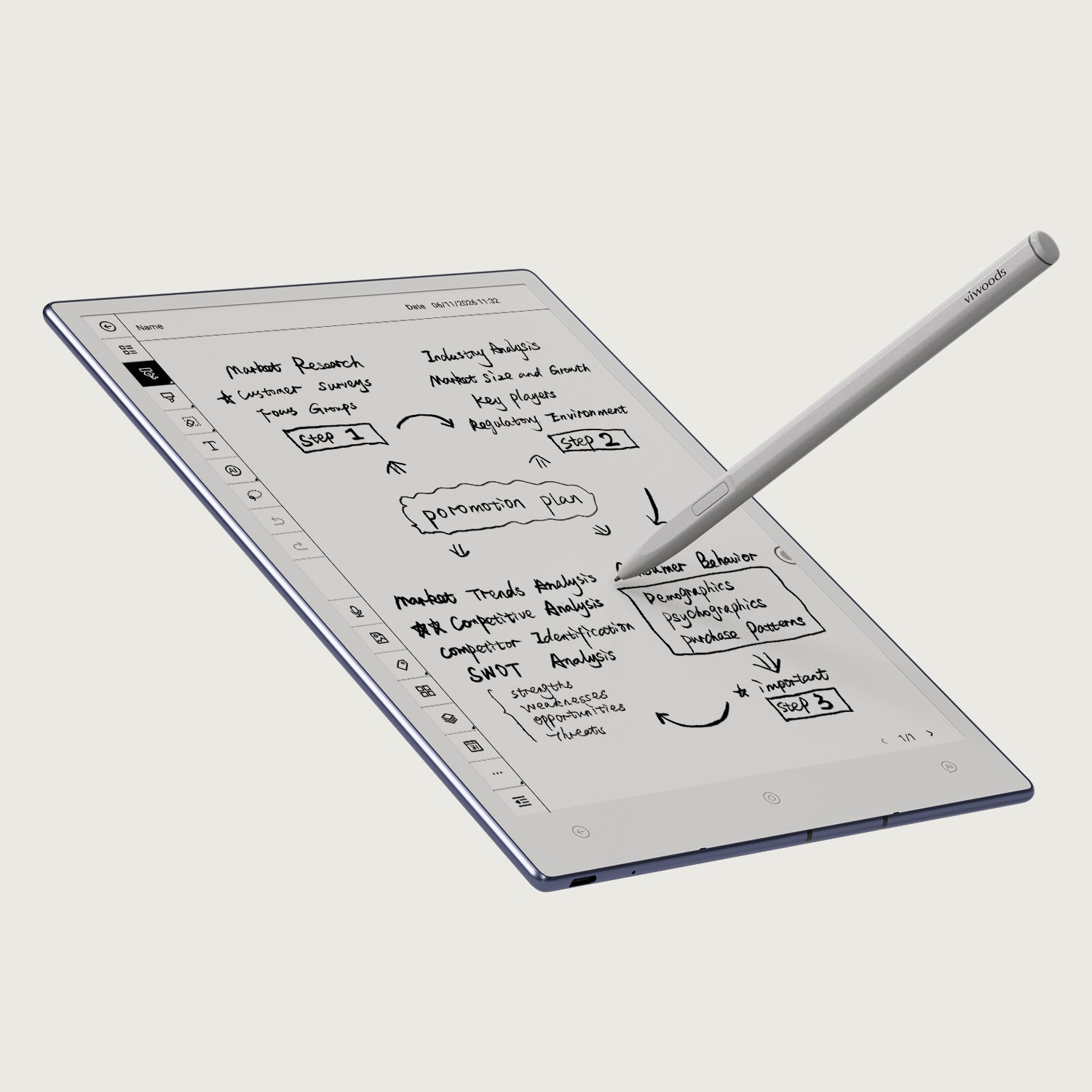
Writing-first recommendation
Choose AiPaper when notes must become usable work
Best for: long handwritten pages, PDF markup, study or meeting notes, app-based reading, and organized follow-up.
Not ideal for: video, fast animation, color-critical creative work, or buyers who only need a pocket reader.
Compare AiPaper for Handwriting & PDFsWhere Viwoods Is Strong—and Where It Is Not the Best Fit
Viwoods sits between a closed, minimal writing tablet and a conventional Android tablet. That middle position is useful, but only when buyers understand both sides of the trade-off.
Viwoods is a strong fit when you need
- Paper-like handwriting for notes, planning, and document comments
- PDF reading and annotation without moving back to a laptop
- Android app access inside a more focused E Ink workspace
- Flexible file movement through cloud services, wireless transfer, or cable
- AI-assisted review and organization as part of the note workflow
Viwoods may not be the best fit when you need
- Fast video, animation, gaming, or color-accurate creative work
- Guaranteed compatibility with every Android app
- A pocket reader that also accepts a stylus—the Reader series does not
- Built-in front light on the full-size AiPaper; AiPaper Mini is the better Viwoods option when front lighting matters
- A complete laptop replacement for spreadsheets, production software, or heavy multitasking
File flow should be checked before purchase, not after. Review how your notes move from handwriting to PDF, text, cloud storage, or another device. The guide to turning handwritten notes into text explains where conversion and export matter most.
Reading-First Alternatives: AiPaper Reader or Reader C
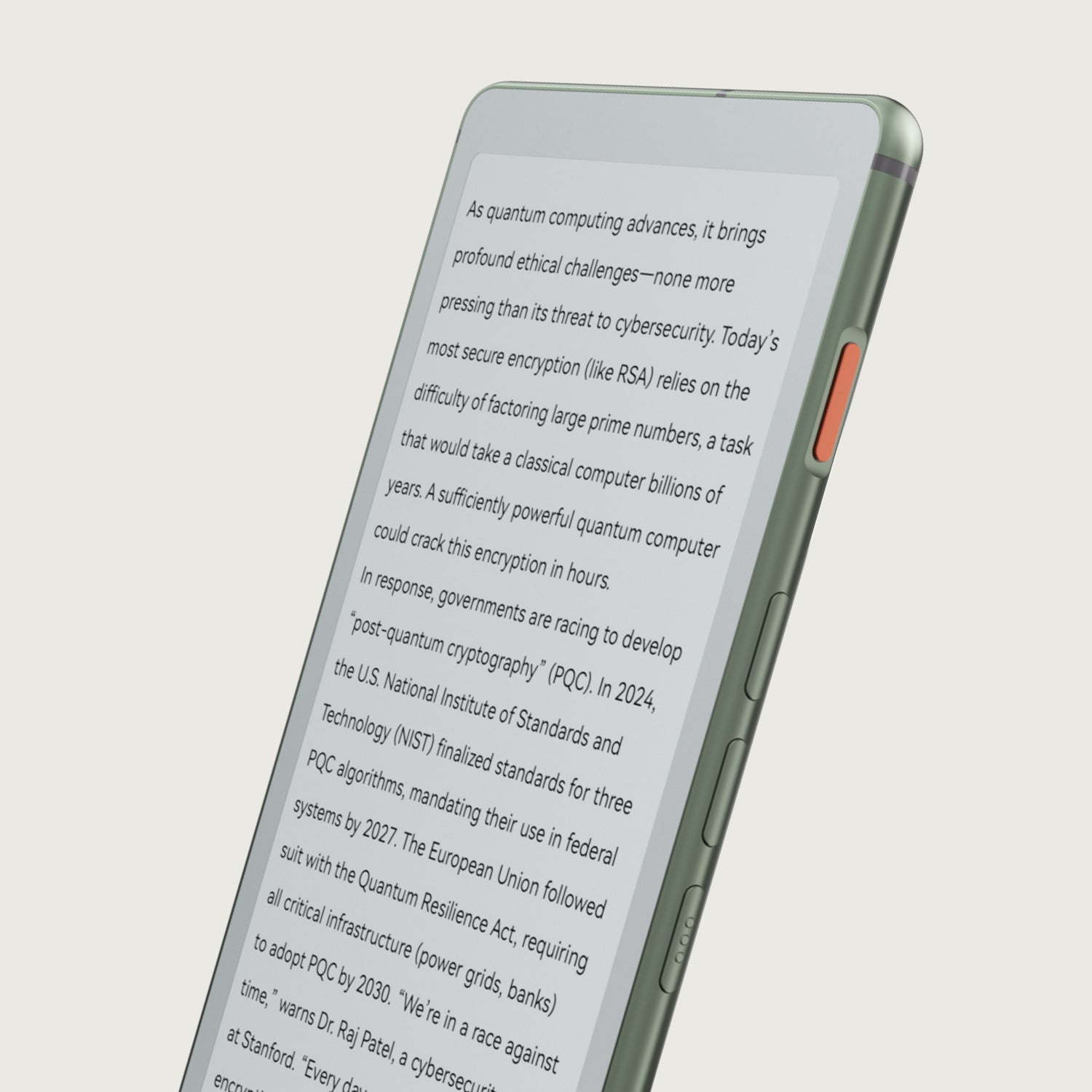
A buyer who mostly reads should not pay for a handwriting workflow that will go unused. The Reader series is the Viwoods alternative when portability, app-based reading, file organization, and on-page AI matter more than stylus input.

Use an existing iPad or Android tablet instead
Choose this route when full color, video, real-time collaboration, and mainstream app behavior outweigh the value of E Ink. See the writing tablet vs iPad comparison.
Use a Reader instead of AiPaper
Choose a reading-first device when notes are occasional and the main task is finishing books, articles, or long documents. The guide to ebook readers for PDFs and long articles explains the boundary.
Keep paper when the workflow is truly offline
A paper notebook can still be the simplest answer when there is no need for search, transfer, backup, PDF markup, or cross-device access.
Make the Final Choice in Three Steps
A good purchase decision should end with a specific next action, not a generic “shop now.” Use these three checks in order.
Step 1
Name the main task
Handwriting and annotation point to AiPaper or Mini. Reading without pen input points to Reader or Reader C. Color and media point to a conventional tablet.
Step 2
Test the file route
Write down the files, apps, export formats, cloud services, and sharing steps you use every week. Reject any device that breaks a required step.
Step 3
Set the budget ceiling
Compare the device, stylus, case, app fees, and any existing hardware. Buy the least expensive setup that completes the repeated workflow without compromise.
Choose the next page by task
Match the device to the work—not the longest feature list
Use AiPaper for full-page handwriting and PDFs, AiPaper Mini for portable notes, and the Reader series when reading is the real priority. Contact Viwoods when a school, team, or business workflow needs a more specific recommendation.
FAQ
Do I need an e notebook if I already own a tablet?
Only when the E Ink screen, paper-like writing, focused reading, or longer battery rhythm improves a repeated task. Keep the existing tablet when color, video, collaboration, and broad app performance are more important.
Can AiPaper Reader or Reader C replace AiPaper for handwritten notes?
No. Reader and Reader C are reading-first devices and are not compatible with a stylus. Choose AiPaper or AiPaper Mini when handwriting, sketching, or pen-based PDF annotation is required.
Which Viwoods model is better for PDFs?
AiPaper is the stronger choice for large PDF pages, margin notes, and repeated annotation. AiPaper Mini fits lighter PDF use and portable notes. Reader models suit text-first reading when pen markup is not needed.
Should budget be based only on the device price?
No. Include the stylus, case, app subscriptions, cloud storage, return policy, and hardware you already own. A cheaper device is not cheaper if it cannot complete a required file or app workflow.
Who should not choose Viwoods AiPaper?
Users whose main work depends on fast video, animation, color-accurate design, heavy multitasking, or guaranteed compatibility with every tablet app should keep a conventional tablet or laptop as the primary device.
Guides 紙のような書き心地のタブレット
E Ink Tablet for Training and Onboarding: Manuals, Notes and Knowledge Capture
E Ink Tablet for Project Handoffs: Review Notes, Open Issues and Next Steps
E Ink Tablet for Field Teams: Offline Notes, Forms and Daily Review
E Ink Tablet for Executive Briefings: Read, Mark, Decide and Follow Up
E Ink Tablet Total Cost of Ownership for Business Teams
Fabric vs Leather Tablet Case: Which Material Fits Daily Carry?
E Ink Tablet for Research Interviews: Interview Guides, Field Notes and Follow-Up
Paper Tablet Accessories Checklist: What You Need for Daily Carry
How to Store an EMR Stylus Safely: Protect the Nib, Magnet and Tablet
EMR Stylus Troubleshooting: Why Strokes Skip, Offset or Fail to Register
How to Clean an E Ink Tablet Screen Safely: A Practical Care Guide

Viwoods AiPaper
$549.00

Viwoods AiPaper Mini
$429.00

Viwoods AiPaper Reader カラー
$289.00

Viwoods AiPaper Reader
$279.00