
Compare reMarkable, Kindle Scribe and Viwoods AiPaper by writing feel, reading habits, PDF review, app freedom, AI support and daily workflow fit.
Use this reMarkable vs Kindle Scribe comparison to choose by what happens after the first handwritten page: focused writing, Kindle-centered reading, PDF review, app access, file movement, portable capture, or organized follow-up. Viwoods AiPaper is not the universal winner; it is the stronger fit when notes need to continue into documents, apps, organization, and action.
Start with the repeated task
reMarkable vs Kindle Scribe vs Viwoods: The Quick Decision
Choose reMarkable when a quiet writing surface and a deliberately limited toolset make you more productive. Choose Kindle Scribe when most of your reading already lives in Kindle and handwriting mainly supports books, notebooks, and imported documents.
Choose Viwoods AiPaper when your routine crosses handwriting, PDFs, Android reading or work apps, flexible file transfer, and organized follow-up. Choose AiPaper Mini instead when portability matters more than maximum page space.
Writing first
reMarkable
Best for journaling, sketching, outlining, and focused page work when fewer functions are an advantage.
Reading first
Kindle Scribe
Best for Kindle-heavy readers who want a large reading surface, notebooks, and pen input without leaving Amazon's reading environment.
Mixed workflow
Viwoods AiPaper
Best for notes, PDFs, apps, file movement, and AI-assisted review that need to stay connected after capture.
Decision table
reMarkable vs Kindle Scribe vs Viwoods: Decision Table
Use this short table to identify the workflow that matters most. For a broader pre-purchase checklist, continue with the E Ink tablet buying guide .
| Decision factor | reMarkable | Kindle Scribe | Viwoods AiPaper |
|---|---|---|---|
| Size & carry | Choose the model that balances writing space with daily carry. | Best treated as a bag-sized reading and writing device. | AiPaper favors full-page work; Mini favors lighter carry. |
| Writing | Best for quiet, notebook-first writing and sketching. | Best when handwritten notes support reading. | Best when notes continue into review and follow-up. |
| Reading | Strong for focused PDF and document review. | Strongest when the Kindle library is central. | Fits PDFs plus reading from multiple apps. |
| Apps & files | A controlled ecosystem with a simple companion workflow. | Amazon-centered reading, transfer, and notebook tools. | Broader app choice and more flexible file routes. |
| AI-assisted work | Useful features may depend on the current model, software release, and service plan. | Amazon-provided tools may vary by generation, account, language, and region. | Integrated AI-assisted organization and review are most valuable when notes need a clear next step. |
| Budget | Check tablet, Marker, folio, and optional services. | Check generation, storage, pen, cover, and offer. | Check model, bundle, delivery, and return terms. |
Balanced comparison
What Each Device Gives Up
No device wins every category. A useful comparison looks at the limitation you can accept, not only the feature list you like.
reMarkable trade-off
Simplicity limits workflow freedom
The minimal environment protects focused writing, but it is less suitable when third-party Android apps, several file sources, or a broader app-based workflow are essential.
Kindle Scribe trade-off
Reading strength stays Amazon-centered
The Kindle path is direct for books and reading notes, but it becomes less flexible when your material comes from multiple apps, cloud services, or non-Kindle work systems.
Viwoods trade-off
Flexibility brings more choices
AiPaper connects notes, PDFs, apps, files, and follow-up, but buyers who want the narrowest possible interface may find its feature-rich workflow less deliberately minimal.
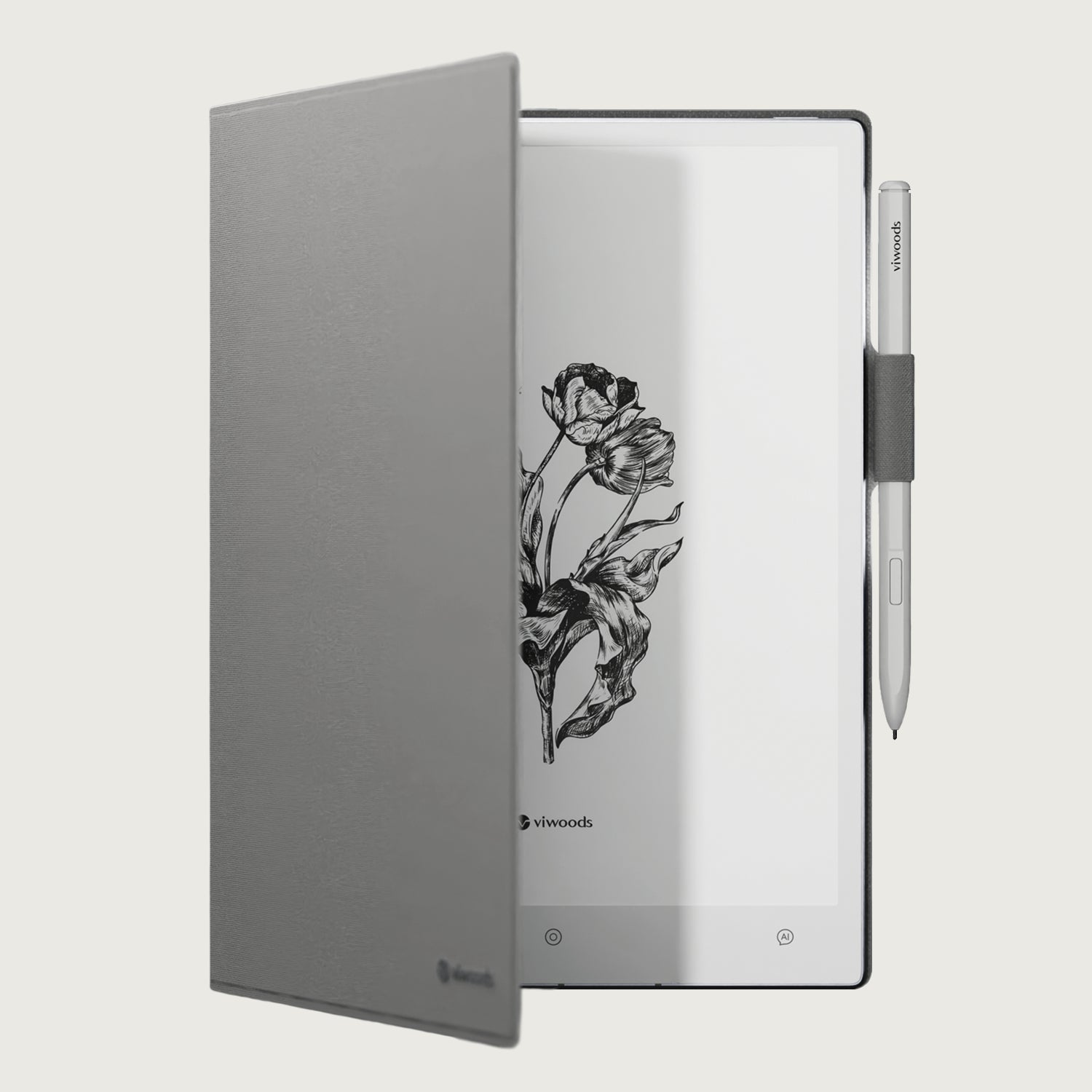
A paper-like workspace for notes, PDFs, reading, and focused review.
AiPaper combines handwriting, document markup, Android app access, file transfer options, and AI-assisted organization in one E Ink workspace. Its value is clearest when the first handwritten page must lead to review, reference, or action.
See AiPaper for Mixed WorkflowsChoose by user type
Who Each One Fits
There is no useful universal winner. The best choice is the one whose limits match your priorities rather than fight them.
Choose reMarkable
You protect long writing sessions
A strong fit for writers, journalers, sketchers, consultants, and students who want the page to remain the center of the device.
Less suitable when: third-party Android apps and flexible multi-source file workflows are essential.
Choose Kindle Scribe
Your library already lives in Kindle
A strong fit for readers who want books, reading notes, notebooks, and imported documents in one familiar Amazon environment.
Less suitable when: you need a broad Android app ecosystem or a file flow that sits outside Kindle.
Choose Viwoods AiPaper
Your notes must become useful work
A strong fit for students, researchers, managers, reviewers, and knowledge workers who combine handwriting, PDFs, apps, and follow-up.
Less suitable when: you want the narrowest possible interface, need fast color media, or expect laptop-class multitasking.
Choose a smaller Viwoods model
Carry matters more than page area
AiPaper Mini suits portable handwriting and lighter PDFs. AiPaper Reader and Reader C suit reading-first routines rather than full-size handwritten note workflows.
See the portable note taking tablet guide before trading page space for carry.
Viwoods fit and limits
Who AiPaper Fits—and Who Should Choose Something Else
AiPaper works best as a bridge between a paper-like page and a more open digital workflow. That flexibility is an advantage only when you will use it.
AiPaper is a strong fit when you:
• annotate reports, papers, slides, or contracts regularly;
• move files through more than one source or cloud service;
• need Android reading or productivity apps on an E Ink device;
• turn handwritten notes into organized review, summaries, or next actions.
Choose another device when you:
• want the most minimal writing environment and do not need apps;
• read almost entirely in Kindle and value the simplest library path;
• need video, rapid color graphics, calls, or high-speed multitasking;
• prefer a closed system with fewer settings and fewer workflow choices.
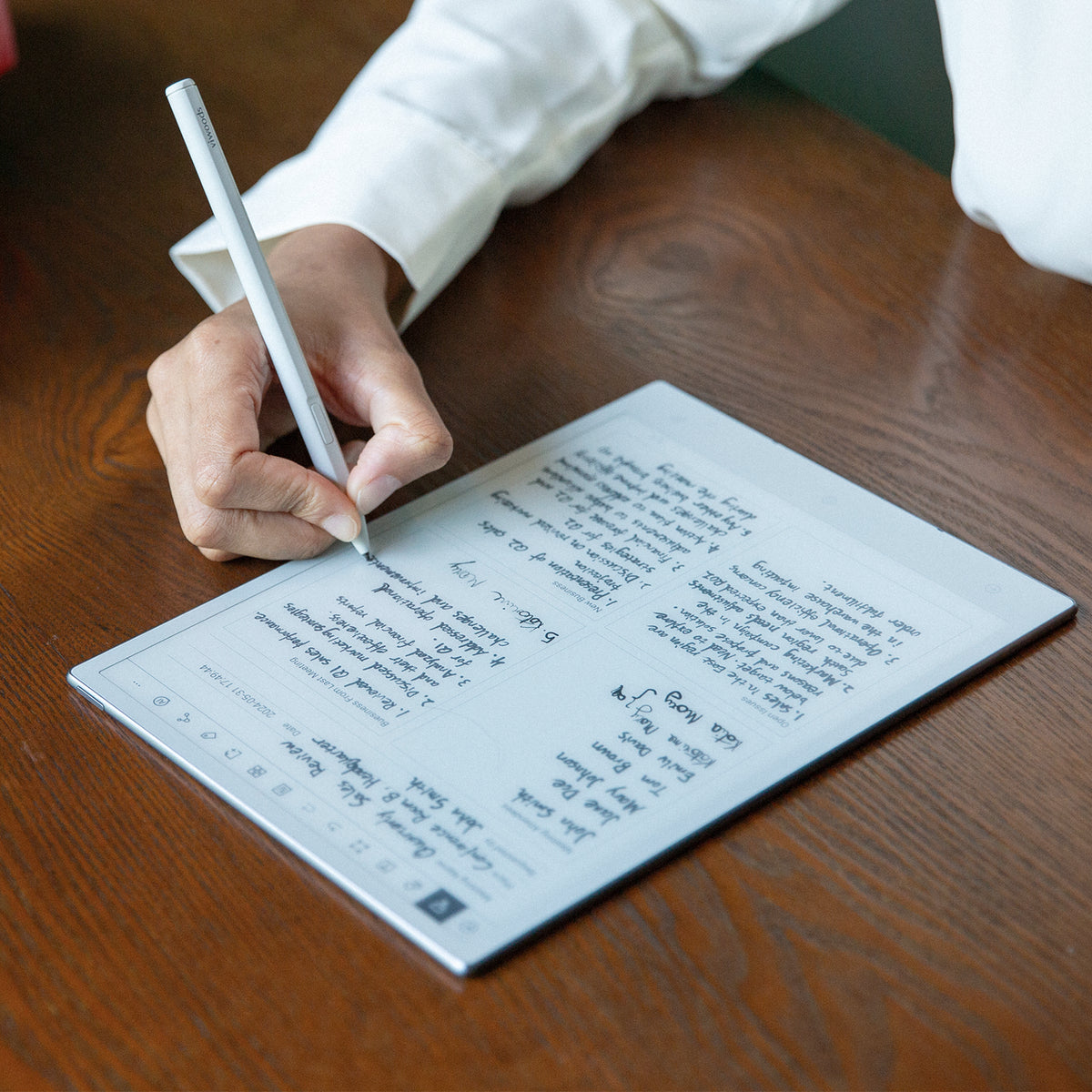
Recommended Viwoods path
AiPaper fits notes that need a next step.
Use AiPaper when meeting notes lead to actions, reading leads to summaries, or PDF comments must stay connected to the original file. Its advantage over a narrower writing tablet is the ability to keep capture, review, apps, and file movement closer together.
Trade-off: the open workflow brings more choices than a deliberately minimal device. Buyers who do not need apps or flexible transfer may prefer reMarkable or Kindle Scribe.
See AiPaper for Notes and Follow-UpReal workflow differences
How the Differences Change Daily Work
For long PDFs and document review
Prioritize page area, annotation flow, and export. AiPaper is the more open Viwoods path; reMarkable is the cleaner closed path. Kindle Scribe makes most sense when document review sits beside Kindle reading.
For reading and occasional notes
Kindle Scribe has the shortest path when books already live in Kindle. AiPaper is more relevant when reading sources include PDFs, saved files, and Android apps.
For one-device expectations
None of these devices is a direct replacement for a fast color tablet. Read the writing tablet vs iPad guide when video, creative apps, web work, or multitasking may be more important than E Ink focus.
For work notes that must be reused
Check the full E Ink digital notebook for work notes and PDF review workflow if meetings, project files, and action items are the real buying reason.
Three-step choice
Which Device Should You Choose? Use These Three Steps
01
Name the weekly task
Write one sentence: “I need this device mainly for…” Use only one primary task—writing, Kindle reading, PDF review, app-based work, or portable capture.
02
Test the content path
Take one typical book or PDF and map how it arrives, how you mark it, where notes are stored, and how the final file leaves the device.
03
Compare the usable kit
Check the exact model, display, pen, folio, storage, subscription needs, return terms, warranty, delivery, and current bundle—not only the tablet price.
Use the result, not a generic “Shop now” button.
Choose AiPaper for larger PDFs and connected work, AiPaper Mini for portable handwriting, or contact Viwoods when your decision depends on document size, app access, or file transfer.
Check AiPaper for PDFs and Notes Check AiPaper Mini for Daily Carry Ask Viwoods About Your WorkflowDecision-stage FAQ
Which Device Should You Choose? Questions Before Checkout
Which device is easiest if I already read mostly in Kindle?
Kindle Scribe is usually the shortest path because the library, reading position, book notes, and notebooks stay inside the Kindle environment. AiPaper becomes more relevant when your reading also comes from PDFs, downloaded files, or Android apps.
When is Viwoods AiPaper not the right choice?
AiPaper is not the best fit when you want the narrowest possible writing interface, read almost entirely in Kindle, or need a fast color tablet for video, calls, creative software, and rapid multitasking. Its open Android workflow is useful, but it also brings more choices and setup.
Should I choose AiPaper or AiPaper Mini for PDFs?
Choose AiPaper when full-page reports, research papers, slides, or long handwritten notes are frequent. Choose AiPaper Mini when you accept more zooming or shorter review sessions in exchange for easier daily carry.
What should I compare before deciding which option is cheaper?
Compare the exact tablet model, pen, folio, replacement tips, storage tier, subscription features, warranty, delivery, taxes, and return terms. Promotions and bundle contents can change, so the checkout-ready setup matters more than a headline price.
Can AiPaper Reader or Reader C replace AiPaper?
They are better treated as reading-first alternatives. Choose AiPaper or AiPaper Mini when handwriting and PDF markup are central; choose Reader or Reader C when compact reading and app access matter more than a full writing workspace.
Final Decision
Choose reMarkable for writing-first focus, Kindle Scribe for Kindle-first reading, and Viwoods AiPaper for a mixed workflow that connects notes, PDFs, apps, files, and follow-up.
Choose AiPaper Mini when portability changes whether the device will actually be used. Choose a conventional color tablet when media, speed, or broad multitasking matters more than a paper-like workspace.
Match AiPaper to Your Workflow Ask About Screen Size and File FlowGuides 紙のような書き心地のタブレット
E Ink Tablet vs iPad: Which Is Better for You?
How to Turn Meeting Notes into Action Items with AI
E Ink Tablet for Training and Onboarding: Manuals, Notes and Knowledge Capture
E Ink Tablet for Field Teams: Offline Notes, Forms and Daily Review
E Ink Tablet for Executive Briefings: Read, Mark, Decide and Follow Up
E Ink Tablet Total Cost of Ownership for Business Teams
E Ink Tablet for Compliance Audits: Checklists, Evidence Notes and Follow-Up
How to Protect an E Ink Tablet in a Backpack
Paper Tablet Accessories Checklist: What You Need for Daily Carry

Viwoods AiPaper
$549.00

Viwoods AiPaper Mini
$429.00

Viwoods AiPaper Reader カラー
$289.00

Viwoods AiPaper Reader
$279.00