
Replace scattered meeting notes with a calmer workflow. Learn how Viwoods AiPaper helps prepare agendas, capture handwritten notes, summarize decisions, and turn meeting follow-ups into clear action items.
A paper tablet for meetings is useful only when it does more than replace a notebook. The right workflow helps prepare an agenda, capture handwritten notes, circle key points, summarize decisions, and move tasks into a daily planner before follow-up work gets lost.

Viwoods AiPaper fits professional meetings, client discussions, handwritten notes, and structured follow-up.
Why Meetings Need a Better Note Workflow
Meetings rarely fail because too few notes are written. More often, they fail because the notes never become decisions, owners, deadlines, or next steps. A notebook can capture the discussion, but the follow-up often depends on memory.
Meanwhile, laptops solve some organization problems and create new distractions. Typing is fast, but messages, tabs, and shared documents can pull attention away from the room. Handwriting feels slower in a useful way, because it supports listening, marking, and thinking.
A strong meeting note tablet sits between these two habits. It keeps the paper-like feel of handwriting while adding templates, search, AI meeting notes, sharing paths, and daily planner tasks. For a broader category view, the paper tablet collection is the best place to compare the writing-focused models.
How a Paper Tablet for Meetings Works
A practical meeting workflow has three clear stages. First, the agenda shapes the page before the meeting starts. Next, handwritten notes capture decisions, questions, and context during the discussion. Finally, the review turns marked notes into action items.
This process is simple, but it prevents the most common problem: a useful page that never becomes useful work. Instead of treating notes as an archive, the workflow treats them as the first step in execution.
Before
Prepare the agenda
Capture goals, topics, previous action items, and open questions.
Best outcome: a page that guides the discussion.
During
Write and mark key points
Capture decisions, risks, names, deadlines, sketches, and useful context.
Best outcome: a record that shows what matters.
After
Review and convert
Extract tasks, owners, dates, dependencies, and next review moments.
Best outcome: a clean action list.
Before, During, and After the Meeting
Before the Meeting: Prepare the Page
First, every meeting page should start with a title, date, purpose, and expected outcome. A blank page feels flexible, yet it often creates scattered records. A prepared page helps the meeting stay closer to the decision that needs to happen.
For example, a project review page can include agenda points, previous tasks, current blockers, and a blank action area. A sales call page can include discovery questions, decision criteria, objections, and follow-up promises. A legal review page can include document names, clause references, and open issues.
The template should be practical, not decorative. If it takes too long to fill out, it will not last. A simple four-zone page for agenda, notes, decisions, and action items is usually enough.
During the Meeting: Write Less, Mark More
During the discussion, notes should capture meaning instead of every sentence. A circle can mark follow-up. A star can mark a decision. A question mark can show uncertainty. Over time, these marks become a fast personal system.
Handwriting also supports rough diagrams, arrows, boxes, and quick structures. These small marks are useful during consulting sessions, internal reviews, product planning, contract discussions, and team check-ins. Typed notes can look clean, but handwritten notes often preserve the shape of the conversation.
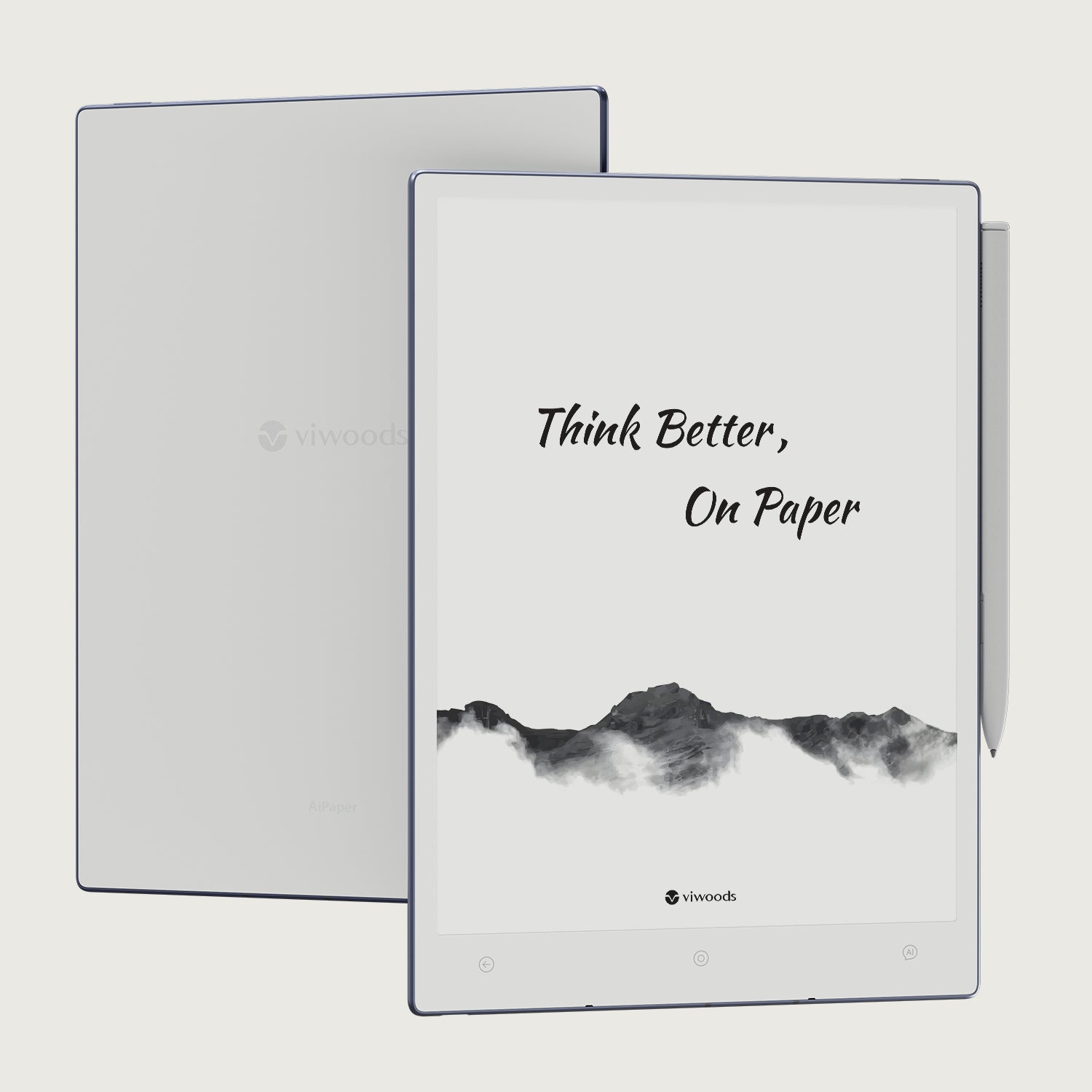
For longer sessions, Viwoods AiPaper is the stronger starting point because the larger writing area gives more room for agenda structure, meeting notes, diagrams, and follow-up review.
After the Meeting: Summarize and Split Tasks
After the meeting, the review should happen while context is still fresh. This step should identify final decisions, unresolved questions, promised follow-ups, and anything that needs a date. Without this review, handwritten notes can still become hidden work.
AI meeting notes can help turn rough pages into cleaner summaries. However, the summary should still be checked by a person. Names, deadlines, sensitive details, and commitments need careful confirmation before they move into a shared record.
Finally, tasks should be moved into a daily planner, calendar, or team task system. A task that stays inside a note page is easy to forget. A task with an owner, deadline, and review point becomes much easier to act on.
Recommended for long meetings
Need more space for agenda, notes, decisions, and follow-up?
Start with AiPaper when meeting pages need room for diagrams, PDF notes, client details, and daily planner review. It is the better fit for project reviews, consulting sessions, legal discussions, and structured team meetings.

A daily planner workflow helps meeting notes become visible tasks instead of forgotten pages.
Action Item Checklist: From Handwritten Notes to Tasks
A good action item needs more than a short phrase. It needs a clear verb, an owner, a due date, context, and a review moment. Otherwise, it looks like a task but still creates confusion.
The following checklist keeps the process repeatable. It also makes handwritten notes easier to reuse after client meetings, team meetings, weekly reviews, and leadership planning sessions.
1. Circle follow-up lines
Mark anything that sounds like a promise, deadline, risk, dependency, or open question.
2. Rewrite each task
Turn rough handwriting into one clear action sentence with a useful verb.
3. Add owner and date
A task without responsibility or timing is still only a note.
4. Review in planner
Move the task into a daily planner, calendar, or team task system before the day ends.
Strong vs Weak Action Items
Action
Strong: Prepare revised launch checklist.
Weak: Launch checklist.
Owner
Strong: Operations lead prepares the checklist.
Weak: Someone handles it.
Deadline
Strong: By Thursday afternoon.
Weak: Soon.
Review point
Strong: Review in Friday project meeting.
Weak: Review later.
Choose the Right Viwoods Model for Meeting Work
The best model depends on the meeting style. Long project reviews need room for agenda zones, diagrams, decisions, and task lists. Short travel check-ins need compact capture and quick review.
Therefore, Viwoods AiPaper is the better fit for structured work sessions, client notes, document review, and team planning. AiPaper Mini is better for mobile note capture, quick check-ins, and lightweight daily planning.
Weekly project review
Viwoods AiPaper
More room for risks, blockers, decisions, diagrams, and action items.
View AiPaperClient discovery call
Viwoods AiPaper
Supports questions, notes, objections, document references, and follow-up structure.
Explore AiPaperTravel check-in
AiPaper Mini
Compact format is easier for short notes, mobile capture, and lightweight daily review.
View AiPaper MiniLegal or document review
Viwoods AiPaper
Larger page space supports document reading, margin notes, annotation, and structured review.
View AiPaper
AiPaper Mini suits short meetings, travel notes, quick daily capture, and portable follow-up review.
Common Mistakes to Avoid
Writing everything
Full notes can look impressive, but they often hide the actual decision. A better page highlights what changed, what is blocked, and what needs to happen next.
Mixing rough notes with shared records
Personal notes can be messy. Shared notes should be factual, short, and action-focused.
Reviewing days later
Shorthand loses meaning quickly. A same-day review is usually more useful than a perfect cleanup at the end of the week.
Adding tools without rules
Sync, sharing, templates, and AI summary features only help when the team has clear rules for naming, reviewing, and assigning action items.
Team Use and Business Purchase
A single device can be chosen by writing feel and personal routine. A team rollout needs more structure. Templates, privacy rules, sharing habits, accessories, calendar use, and support plans all affect adoption.
A small pilot is the safest start. It should include meeting-heavy roles such as project managers, sales teams, consultants, lawyers, and team leads. The goal is to test the workflow, not just the device.
For group deployment, the paper tablet for teams page is the correct path because it focuses on business use, planning, privacy, productivity apps, and deployment needs.
Teams planning a demo, pilot, or bulk deployment can request a business solution before buying at scale.
B2B Purchase Questions
Which roles attend the most meetings?
Start with project, sales, consulting, legal, and leadership roles.
Will notes stay private or become shared summaries?
Share decisions and action items, not every rough note.
Do tasks move into a central system?
Map planner, calendar, and task app habits before rollout.
Is document review part of the meeting?
Favor AiPaper for longer reading and marking sessions.

Team deployment should consider templates, privacy, accessories, sharing rules, and follow-up habits before bulk purchase.
Checklist: Is This Setup a Good Fit?
Use this checklist before choosing a model or starting a team pilot. It helps separate real workflow value from simple device curiosity.
Meetings often create decisions, tasks, or follow-up work.
Handwriting helps with listening, thinking, sketching, or marking.
Paper notebooks make search, sharing, and review difficult.
Laptop note-taking creates too many distractions.
Recurring meetings need a consistent template.
Action items need a daily planner or review system.
Documents, PDFs, or agenda files often appear in meetings.
A small team can test the workflow before wider deployment.
One Useful External Reference
For a simple meeting process, the Project Management Institute recommends preparing an agenda, reviewing previous action items, discussing open issues, and summarizing next steps in project status meetings. That same structure also works well for handwritten meeting notes. Reference: Project Management Institute meeting guidance.
FAQ
Is a paper tablet good for meetings?
Yes. It works well when meetings involve handwriting, agendas, document review, decisions, and follow-up tasks. It is especially useful when laptop note-taking feels distracting.
Can handwritten notes become action items?
Yes. Circle follow-up points, rewrite them as clear tasks, add owners and dates, then move them into a daily planner, calendar, or team task system.
How do teams share meeting notes?
Teams should share cleaned summaries rather than rough pages. A useful summary includes decisions, owners, deadlines, unresolved questions, and the next review point.
Which Viwoods model fits client meetings?
Viwoods AiPaper fits longer client discussions, document review, and structured follow-up. AiPaper Mini fits short check-ins, travel notes, and compact daily capture.
Should a company buy paper tablets in bulk?
Bulk purchase makes sense after a small pilot proves the workflow. The pilot should test templates, review habits, privacy rules, accessories, and support needs.
Build a Calmer Path from Meeting Notes to Action Items
Better meeting notes are not about writing more. They are about capturing the right points, marking decisions clearly, and reviewing action items before context fades.
For individual work, start with AiPaper when long notes, PDFs, and daily planning matter. For team deployment, plan a pilot, define templates, and contact Viwoods before bulk purchase.
Create one reusable meeting template with agenda, notes, decisions, and action items.
Review every meeting page on the same day and move tasks into a planner.
Run a small team pilot before standardizing devices, accessories, and sharing rules.
Guides 紙のような書き心地のタブレット
E Ink Tablet for Training and Onboarding: Manuals, Notes and Knowledge Capture
E Ink Tablet for Executive Briefings: Read, Mark, Decide and Follow Up
How to Evaluate an E Ink Tablet Demo for a Business Team
E Ink Tablet for Compliance Audits: Checklists, Evidence Notes and Follow-Up
Fabric vs Leather Tablet Case: Which Material Fits Daily Carry?
E Ink Tablet for Research Interviews: Interview Guides, Field Notes and Follow-Up
How to Carry a Paper Tablet and Stylus Together Without Damaging the Screen
How to Store an EMR Stylus Safely: Protect the Nib, Magnet and Tablet
EMR Stylus Troubleshooting: Why Strokes Skip, Offset or Fail to Register
How to Clean an E Ink Tablet Screen Safely: A Practical Care Guide
Viwoods AiPaper
$549.00

Viwoods AiPaper Mini
$429.00
Viwoods AiPaper Reader カラー
$289.00
Viwoods AiPaper Reader
$279.00