
Plan an E Ink tablet business demo around real files, representative roles, workflow handoffs, weighted scoring, and clear acceptance criteria. This guide helps a business team document risks, compare results, and decide whether a focused pilot deserves approval.
An E Ink tablet business demo should answer a practical question: can the device carry real work reliably enough to justify a controlled team pilot?
The most revealing session feels less like a showroom tour and more like an ordinary workday. A document arrives with an awkward table. A reviewer has ten quiet minutes before another task. A handwritten question must remain clear when the file reaches the next role. Those moments reveal more than a polished list of features.
The aim is not to prove that every function looks impressive. Instead, the session should show whether representative work can move from preparation to completion without hidden rework, unclear handoffs, or unacceptable risk. Real files, defined roles, a weighted scorecard, and written acceptance criteria make that judgment possible.
What the Demo Needs to Prove for the Business
Without a clear decision, attractive functions quickly take over the room. Someone notices smooth handwriting. Another person likes the calm display. Both reactions matter, yet neither proves that the proposed workflow can carry real work from one role to the next.
Begin with one narrow decision. For example, the session may need to determine whether a review group can receive a standard document pack, mark exceptions, record decisions, and return an understandable result. That statement is more useful than a broad goal such as “improve productivity.”
Start with the workflow, not the device
Map the starting event, the working step, the handoff, and the final business result. For each stage, name the role, input, expected output, next destination, and main failure risk.
If the workflow depends on specific compatibility, connectivity, synchronization, security, offline use, or administration requirements, list them before the session and confirm them for the intended setup through Viwoods Business Solutions. Keep any item that has not been demonstrated or documented marked as not verified.
Next, record the present method. If today’s review pack must be printed, marked, scanned, renamed, and emailed, list every step. The proposed route can then be judged against a real baseline rather than a vague impression of speed.
Finally, write the decision rule before the demonstration. A sensible rule might allow a pilot only when every critical workflow completes, no red flag appears, and the weighted score reaches the internally agreed threshold.
Who Should Be in the Room—and Which Workflows Matter
A demonstration led only by the most confident technology user often feels smoother than normal work. A fair session includes the person who prepares the file, the person who performs the task, and the person who receives the result. Operational and administration roles can join when their requirements affect the decision.
The atmosphere should resemble a calm working session, not an exam. Participants need a clear outcome and enough context, but they should not receive constant step-by-step coaching. Small hesitations, repeated backtracking, and requests for help often reveal the training burden more honestly than a post-session opinion.
Match the demo device to the workflow
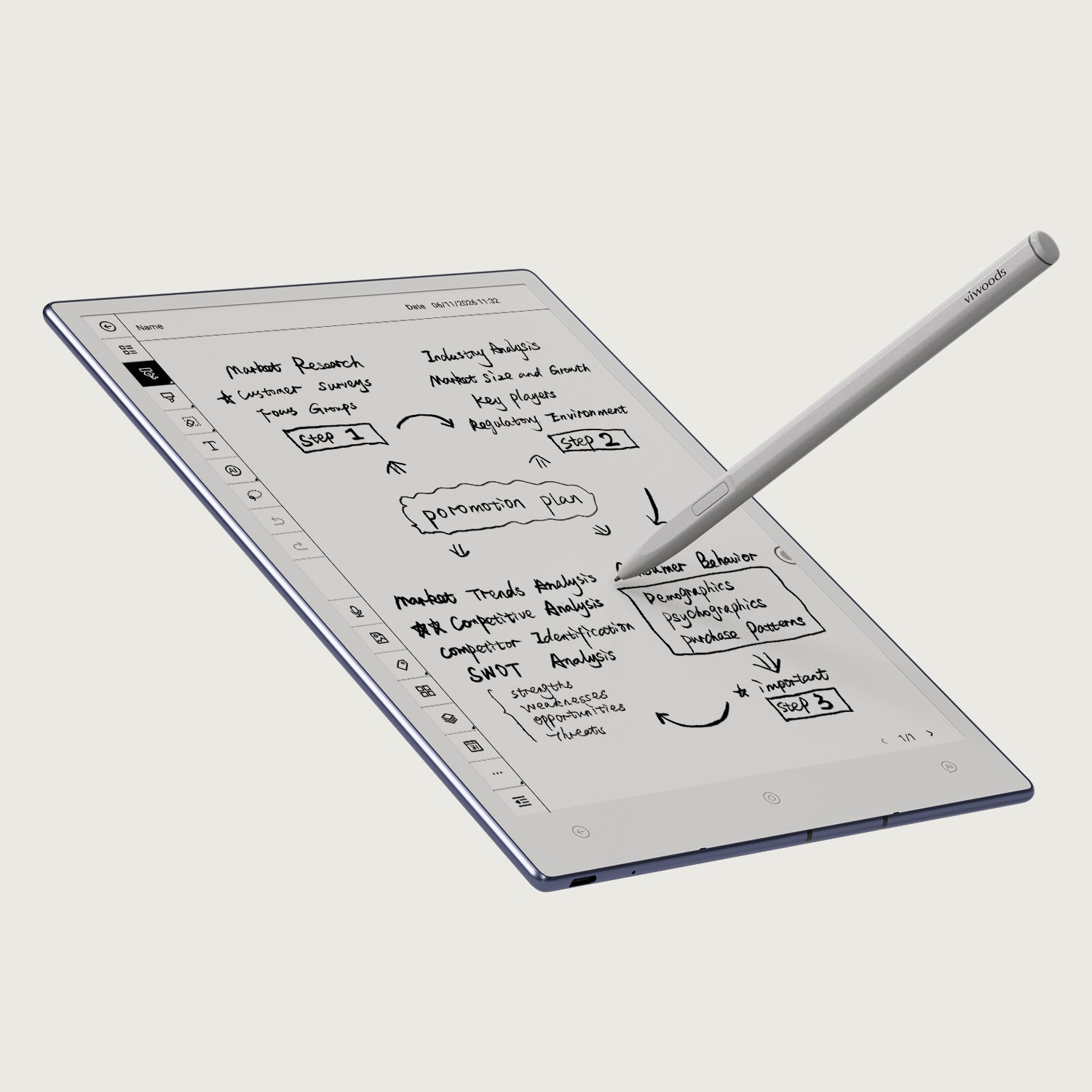
The candidate device should match the work you actually need to prove. Before the demo, write down the required document size, writing frequency, portability, reading time, handoff destination, and connectivity conditions. If the team is still deciding between device types or form factors, use those requirements to select what enters the test rather than defaulting to the easiest showroom setup.
Frequency alone is not enough
The most common task deserves attention because small friction repeats every day. However, a less frequent task may carry greater risk when it fails. A good set includes one routine workflow, one demanding document, and one handoff that another role must continue.
- Routine test: exposes everyday navigation, writing, and organization friction.
- Complex test: uses dense pages, revisions, tables, or longer review sequences.
- Handoff test: checks whether the output remains clear outside the presenter’s device.
Why Realistic Files Change the Result
A clean two-page PDF creates an easy success. Real work may arrive with long names, revised sections, narrow tables, landscape pages, handwritten marks, or similar-looking versions. The sample pack should preserve that difficulty without exposing sensitive information.
Sanitized or synthetic files can still feel authentic. Keep the normal page structure, field length, revision marks, diagrams, and approval blocks. Then replace names and confidential details with approved test content.
Normal fileShows whether the everyday workflow feels clear and repeatable.
Difficult fileTests dense pages, tables, diagrams, or a longer review sequence.
Edge caseChecks one plausible failure without turning the demo into a stress test.
Task cards should describe outcomes, not gestures
“Try writing on this page” tests a gesture. “Find the revised section, mark two concerns, record one decision, and prepare the file for handoff” tests work. Each task card should state the scenario, starting condition, expected result, completion evidence, allowed assistance, and critical failure condition.
Keep starting conditions consistent. If one participant receives hidden preparation or extra coaching, record it. A workflow that depends on several invisible expert steps may carry more administrative effort than the visible task suggests.
A Scorecard That Separates Preference from Business Risk
A scorecard protects the decision from one memorable moment. Smooth handwriting may deserve a high score, while a failed handoff may still block the workflow. Weighting makes that difference visible.
Agree on categories before the session. Otherwise, enthusiasm can quietly change what “good” means after the demonstration begins. The example below is a starting point, not a universal benchmark.
| Category | Example weight | Evidence to record |
|---|---|---|
| Core task completion | 25% | Required outcome reached under tested conditions |
| Writing and reading fit | 15% | Notes remain comfortable, clear, and findable |
| Document handling | 15% | Correct file and version remain identifiable |
| Handoff and output | 20% | Next role can continue without extra explanation |
| Adoption and training | 10% | Prompts, repeated errors, and second-attempt improvement |
| Administration and risk | 15% | Setup, support, exceptions, and open verification questions |
Use a defined scale. A five can mean the requirement completed cleanly, while a three may mean it completed with a documented workaround or training need. Add “not verified” rather than awarding a hopeful score to something nobody tested.
Participants should score before discussing the result. A large difference between two roles is valuable evidence: they may understand the requirement differently, or the output may work for its creator but not for its receiver.
For current product questions that affect the scorecard, use Viwoods Business Solutions to confirm what can be tested in the intended setup. Keep every unanswered requirement marked as not verified until supporting evidence is available.
Hypothetical decision example
Why a high average score can still be a no-go
Use the weighted score to compare evidence, then apply the must-pass rule separately.
Demo A — 4.4/5 average
Writing, reading, and navigation score well, but the receiving role cannot interpret the exported annotations. Because a must-pass handoff fails, the result is retest or stop, not pilot approval.
Demo B — 3.9/5 average
Every must-pass workflow succeeds. Two lower-risk issues are documented with owners and a pilot measure. The result can be proceed to a limited pilot if the agreed threshold is met.
What Real Reading, Writing, and Review Look Like
Writing a few neat words proves very little. A realistic test includes corrections, abbreviations, page changes, earlier notes, and an interruption. The question is whether the work remains understandable when attention shifts and later returns.
Reading tests also need ordinary difficulty. Include headings, footnotes, tables, diagrams, and one landscape page if those elements appear in real files. Observe how often adjustments interrupt the review rather than debating display specifications in isolation.
- Locate the assigned file and confirm the version.
- Read the relevant section without presenter guidance.
- Mark a concern and record a decision.
- Pause the task, then return to the right place.
- Identify an open action and prepare the result.
- Let the next role interpret the output independently.
Observers should note backtracking, repeated questions, unplanned tools, and uncertainty about completion. However, one pause is not automatically a defect. Repeated behavior across roles and tasks carries more weight than a single unfamiliar moment.
A workaround may also be acceptable when it belongs to the intended process. Record its time, training need, and risk instead of hiding it. That detail helps separate a manageable adjustment from a poor workflow fit.
The Handoff Is Often Where a Demo Fails
A demonstration can look complete while ending one step too early. The presenter may finish an annotation, yet the receiving role still needs the correct version, readable marks, a useful file name, and an approved destination.
Ask the receiving role to open and interpret the result. That small change often exposes more than watching the same file reopen on the presenter’s device.
Questions worth verifying during the session
- Which output formats are required, and do annotations remain clear?
- Can the destination system open the representative result?
- Which steps need an active connection?
- What can continue when connectivity is unavailable?
- How does pending work differ from completed work?
- What happens after an interruption, reconnection, or account change?
- Which current security and data-handling details need written confirmation?
“Offline” should be divided into specific actions. Opening a prepared file, writing a note, saving progress, finding stored material, and completing a later handoff may have different conditions. Mark each action as required, preferred, irrelevant, or not verified.
Likewise, do not infer a deployment result from general product language. Record the intended network, applications, accounts, destinations, and data types. Then confirm the current behavior through the relevant product information or business discussion.
A Workflow Can Pass Technically and Still Be Hard to Adopt
A workflow may pass technically and still feel fragile once the presenter leaves. After a short orientation, let participants complete a task with limited help. Record the number of prompts, repeated errors, and steps that need a written reminder.
Then run a similar task with a different file. Rapid improvement suggests a learnable process. The same error appearing again may point to unclear naming, navigation, or workflow design rather than simple unfamiliarity.
The working environment changes the result
The intended setting changes the experience. A desk reviewer may work beside a laptop and printed reference. A mobile role may carry the device between locations, pause frequently, or write while standing. Include the normal position, lighting, storage, stylus access, and interruption pattern.
Administration also deserves a task list. Record the preparation needed for each device, account changes, update questions, accessory tracking, support ownership, and reassignment steps. Anything that depends on an unconfirmed business arrangement should remain open.
Training can solve a process that becomes easier with clear instruction and repetition. It should not be used to excuse a failed critical requirement. The issue log should distinguish training needs, workflow changes, open questions, and confirmed fit problems.
Where to Draw the Line: Acceptance Criteria and Red Flags
Acceptance criteria should describe observable outcomes. “Easy to use” is vague. “A representative participant completes the core review after the planned orientation and the next role identifies every required annotation” can be tested.
Separate must-pass conditions from preferences. A preferred visual detail may affect adoption, while a lost annotation or unrecognizable version can break the process. These findings should never carry the same consequence.
Must passProtect the core outcomeThe required task, version recognition, handoff, and essential controls work under tested conditions.
Should passSupport consistent useLearnability, comfort, and routine speed remain acceptable or have a credible correction.
MonitorCarry evidence into the pilotLower-risk uncertainty becomes a named pilot measure instead of disappearing from the record.
Red flags that justify a stop, clarification, or retest
- The core task cannot reach its required outcome.
- The receiving role cannot interpret the result.
- The correct version or status cannot be identified.
- Required annotations become unclear or disappear.
- A workaround bypasses an approved control.
- The process needs continuous expert intervention.
- A critical result depends on an unsupported or unverified assumption.
From Demo Evidence to a Pilot Decision
Someone who missed the session should still understand the decision. Record the tested conditions, roles, sample manifest, scores, must-pass results, red flags, workarounds, evidence, and open questions. Each unresolved item needs an owner and response date.
The outcome should be explicit: stop, clarify, retest, or proceed to a limited pilot. A pilot is not an undefined rollout. It needs a narrow workflow, representative participants, a defined period, support ownership, success measures, stop conditions, and a final review date.
Pilot decision
A pilot should retest uncertainty, not only success
A limited pilot should measure repeat use, interruption recovery, support demand, and handoffs under normal working conditions. It should focus on the uncertainty left by the demo instead of repeating only the easiest successful tasks.
Plan the next step around evidence
A useful business demo starts with your real work.
Use the session to reach a documented stop, clarification, retest, or pilot decision—not simply to collect favorable impressions. That keeps the E Ink tablet business demo tied to the workflow the team would actually use.
For a focused discussion, bring the approximate team size, two or three representative roles and workflows, a realistic file sample, the required handoff destination, and any offline, security, or account constraints. If you already have must-pass criteria or a target pilot window, include those as well.
Request a focused business demo →FAQ
What should a business team test in an E Ink tablet demo?
Test a complete workflow that begins with a representative file and ends when another role receives a usable result. Include version recognition, realistic annotations, an interruption, a handoff, and any export, connectivity, or offline action that matters to the intended process.
Who should participate in the demo?
Include the role preparing the input, the role performing the work, and the role receiving the output. Operational, administration, IT, or governance roles should join when their requirements can change the decision. At least one participant with limited E Ink experience can reveal training needs.
How can a fair demo scorecard be built?
Choose categories and weights before the session. Define each score, add a “not verified” option, and require evidence for critical ratings. Individual scoring should happen before group discussion so that seniority or enthusiasm does not set every answer.
How many workflows should one demonstration include?
Two or three carefully observed workflows usually provide stronger evidence than a long feature list. Include one routine task, one demanding sample, and one important handoff. Very different departments or processes may need separate sessions.
What should happen after the demo?
Record one explicit outcome: stop, clarify, retest, or proceed to a limited pilot. Every open question needs an owner and decision date. If a pilot proceeds, it should measure the uncertain areas found during the demo rather than repeating only the successful tasks.
Guides Paper Tablet
How to Turn Meeting Notes into Action Items with AI
E Ink Tablet for Training and Onboarding: Manuals, Notes and Knowledge Capture
How to Evaluate an E Ink Tablet Demo for a Business Team
E Ink Tablet for Compliance Audits: Checklists, Evidence Notes and Follow-Up
E Ink Tablet for Research Interviews: Interview Guides, Field Notes and Follow-Up
How to Carry a Paper Tablet and Stylus Together Without Damaging the Screen

Viwoods AiPaper
$549.00

Viwoods AiPaper Mini
$429.00

Viwoods AiPaper Reader Colour
$289.00

Viwoods AiPaper Reader
$279.00