
An E Ink tablet is designed to offer a reading experience closer to printed paper than a conventional tablet screen. But when comparing different models, one feature can make a noticeable difference to how and where you use your device: a built-in front light.
Some E Ink tablets include adjustable lighting for reading in dim rooms or before bed, while others rely entirely on ambient light or an external reading lamp. If you mainly read during the day, you may not need a front light at all. However, if you regularly read at night, travel frequently or prefer reading without disturbing others, it could be a worthwhile feature.
So, is an E Ink tablet with a front light worth paying more for? The answer depends on your reading habits, environment and the other features you need from your device.
What Is a Front Light on an E Ink Tablet?

E Ink displays are reflective. Instead of producing light in the same way as a typical LCD or OLED screen, they use ambient light reflected from the display surface to make text and images visible.
This is one reason E Ink devices are often compared with paper. Like a printed book, an E Ink screen is easier to read when there is sufficient light around you.
A front light addresses the main limitation of this design: reading in low-light environments.
How Does an E Ink Front Light Work?
An E Ink front light typically uses LEDs positioned around the display and a light guide to distribute illumination across the screen. The light is directed towards the display surface, allowing you to see the content when the surrounding environment is too dark.
The brightness can often be adjusted to suit different environments. Some devices also offer adjustable colour temperature, allowing readers to choose between cooler and warmer lighting.
For example, a lower brightness setting may be sufficient in a dim bedroom, while a brighter setting may be useful in a room with limited ambient lighting.
The key advantage is convenience. You can continue reading without having to find a separate lamp or move closer to an existing light source.
Front Light vs Backlight: What's the Difference?
The terms front light and backlight are sometimes used interchangeably, but they describe different lighting approaches.
| Feature | Front-lit E Ink Display | Backlit LCD or OLED Display |
|---|---|---|
| How the light works | Light is directed across the display surface | Light is emitted from behind or within the display towards the viewer |
| How the image is viewed | Ambient or front-light illumination is reflected by the display | The display produces light that reaches the viewer |
| Reading in darkness | Possible when the front light is switched on | Possible without an external light source |
| Main consideration | Requires a lighting feature for low-light reading | The viewing experience depends on the display technology, brightness and environment |
A front-lit E Ink display retains the reflective nature of E Ink technology. However, the presence of a front light does not automatically make every device more comfortable for every reader. Screen quality, brightness settings, text size and viewing conditions also matter.
Does a Front Light Make Reading More Comfortable?
A front light can make reading more convenient, particularly when the surrounding light is insufficient. Whether it makes reading more comfortable depends on where and how you use your device.
Reading in Low-Light Environments

This is where a front light offers its clearest practical advantage.
Imagine reading an ebook on a train during an evening journey, reviewing a document in a dim hotel room or finishing a chapter before going to sleep. Without a front light, you may need a separate lamp or another source of illumination.
With a built-in front light, you can adjust the screen brightness and continue reading without carrying an additional light source.
A front light may be especially useful if you frequently:
Read in bed without switching on the main room light.
Travel on trains, aeroplanes or other forms of public transport.
Work in shared offices or rooms with inconsistent lighting.
Read early in the morning or late at night.
Move between brightly lit and dimly lit environments.
If these situations describe your everyday routine, built-in lighting may be worth prioritising when choosing an E Ink tablet.
Reading in Bright Indoor Environments
The benefits are less obvious when you already have good lighting.
In a bright office, a well-lit library or a room near a window, an E Ink display can use the available ambient light. You may be able to read comfortably without switching on the front light.
If you mostly use your device during working hours, the absence of a front light may not be a major drawback. Other factors, such as display resolution, screen size, PDF handling and writing performance, could have a greater impact on your experience.
The important question is not simply whether a tablet has a front light. It is whether you will use it often enough to justify choosing that particular model.
Can a Front Light Reduce Eye Strain?

It is important to distinguish between reading convenience and proven improvements in eye health.
A front light can make text easier to see in a dim environment by providing additional illumination. However, it should not automatically be described as a feature that prevents eye strain or protects your eyesight.
Reading comfort can depend on several factors, including:
The brightness of the screen relative to the surrounding environment.
Text size, font choice and line spacing.
Glare and reflections.
Reading duration and breaks.
Individual visual needs.
An excessively bright front light in a dark room may be uncomfortable, just as insufficient illumination can make reading difficult. Adjustable brightness gives you more control, but the best setting depends on the situation.
For most readers, the sensible approach is to choose a display that is comfortable to use, adjust its lighting to the environment and take regular breaks during long reading sessions.
E Ink Tablet with Front Light vs Without Front Light
A front light is useful, but it is not essential for every E Ink tablet user. Comparing the two designs can help you decide where your money is best spent.
| Consideration | With Front Light | Without Front Light |
|---|---|---|
| Reading in darkness | Convenient with the built-in light switched on | Requires an external light source |
| Reading in bright rooms | Can be used with the light adjusted or switched off, depending on the device | Uses ambient light |
| Reading while travelling | Useful when lighting conditions change | May require a reading lamp or a suitable seat |
| Device design | Lighting hardware is integrated into the display assembly | No built-in front-light system |
| Battery use | The light consumes additional power when enabled | No front-light power consumption |
| Purchase decision | Best suited to frequent low-light reading | Worth considering if most reading takes place in good lighting |
The table describes general differences. Actual battery life, weight, display characteristics and pricing vary by model, so compare the specifications of the devices you are considering.
When Is a Front Light Worth the Extra Cost?

Paying more for a front-lit E Ink tablet makes sense when built-in lighting solves a problem you encounter regularly.
Consider prioritising a front light if you read every evening, frequently travel or often work in rooms where you cannot control the lighting. It may also be useful if you prefer to keep your reading setup minimal and do not want to carry a separate lamp.
The value becomes more apparent with frequent use. A feature that you use almost every day may justify a price difference more easily than one you only need occasionally.
Before paying extra, check whether the model offers adjustable brightness. If you expect to read for long periods at different times of day, lighting control is more useful than simply having a light that is either on or off.
When Can You Save Money by Skipping It?
A model without a front light may be a better choice if you primarily read in a well-lit office, at a desk with a lamp or beside a window.
You may also prefer a device without built-in lighting if its other features better match your priorities. For example, a larger display may be more useful for reviewing academic papers, while handwriting performance and document-management tools may matter more to someone who uses an E Ink tablet for work.
Think about your actual usage rather than buying every available feature. If you rarely read in low light, a front light may add less value than you expect.
What Should You Look for in an E Ink Tablet with Front Light?
If you decide that a front light is important, it should be one part of your buying decision rather than the only feature you evaluate.
1. Adjustable Brightness
Brightness adjustment allows you to adapt the display to the environment.
In a dim room, you may only need a low setting. In a room with limited ambient light, a higher setting may make the text easier to see.
A useful front light should give you enough control to avoid an unnecessarily bright display. If possible, test the device in the conditions where you expect to use it most often.
2. Adjustable Colour Temperature
Some E Ink devices let you adjust the colour temperature of the front light.
Depending on the model, you may be able to select cooler, more neutral illumination or a warmer tone. Some readers prefer warmer lighting in the evening, while others favour a neutral appearance for general reading.
However, a warmer light should not automatically be marketed as a guarantee of better sleep or improved eye health. Your overall lighting environment, reading habits and personal preferences all matter.
Check whether colour temperature is adjustable, whether the change is gradual and whether the available settings suit your needs. Not every front-lit E Ink tablet includes this feature.
3. Display Resolution and Screen Size

Lighting cannot compensate for a display that is too small for your documents or difficult to read at your preferred text size.
For ebooks and ordinary text, a compact screen may be sufficient. For academic papers, reports and PDFs with complex layouts, a larger display can reduce the need to zoom in and move around the page.
Resolution also matters. A higher pixel density can help small text and fine details appear clearer, although the result depends on the display and the content itself.
If you mainly read novels, portability may be your priority. If you regularly annotate full-page documents, screen size and PDF usability may deserve more attention than the front light.
4. Battery Life and Everyday Use
Using a front light consumes additional power, so its effect on battery life should be considered.
The actual impact depends on the device, brightness setting, usage pattern and other hardware and software factors. A low setting may consume less power than a high one, but manufacturers' battery-life claims may be based on specific test conditions.
Look for product information that explains how the device is intended to be used, and avoid comparing battery figures without checking whether the test conditions are similar.
Also consider the wider experience: how easily you can transfer documents, organise notes, annotate PDFs and access the tools you use regularly. These everyday details can have a greater impact on long-term satisfaction than a single display feature.
Is a Front-Lit E Ink Tablet Better for Reading PDFs and Work Documents?
Not necessarily. A front light improves visibility in low-light environments, but it does not directly solve every challenge associated with reading documents.
Books and Long-Form Text
For ebooks and long-form articles, the choice is relatively straightforward.
If you read at night or in places with unpredictable lighting, a front light offers convenience. If you usually read in a bright room, a non-front-lit device may work just as well for your needs.
Other factors, including font adjustment, page navigation, supported file formats and portability, also affect the reading experience.
PDFs and Academic Papers
PDFs can be more demanding than ordinary ebooks because they often contain fixed layouts, charts, footnotes, diagrams and multi-column text.
A front light can help you view a PDF when the room is dim, but it will not make a small page easier to navigate or automatically improve the document's layout.
For academic work and professional documents, consider:
Screen size: Can you read the page without constantly zooming in?
Resolution: Is small text clear enough for your usual documents?
Annotation tools: Can you highlight text and write notes directly on the document?
Orientation: Can you switch between portrait and landscape when needed?
File compatibility: Does the device support the document formats you use?
These features are particularly important if your E Ink tablet is intended to replace printed papers or become part of your daily workflow.
Taking Notes After Reading

For students, researchers and professionals, reading is often only the first step. You may need to annotate a report, capture an idea, write a summary or turn handwritten notes into searchable text.
In these cases, the tablet's note-taking software and document workflow matter alongside its display.
Consider whether you can move smoothly between reading, writing and organising information. If you expect to use the device for both focused reading and productive work, evaluate the complete experience rather than judging it by lighting alone.
Is the Viwoods AiPaper Worth Considering?
Viwoods offers different devices for different reading and writing needs. It is important to compare their actual specifications rather than assume every model has the same display features.
Viwoods AiPaper: A Larger Screen Without a Built-In Front Light
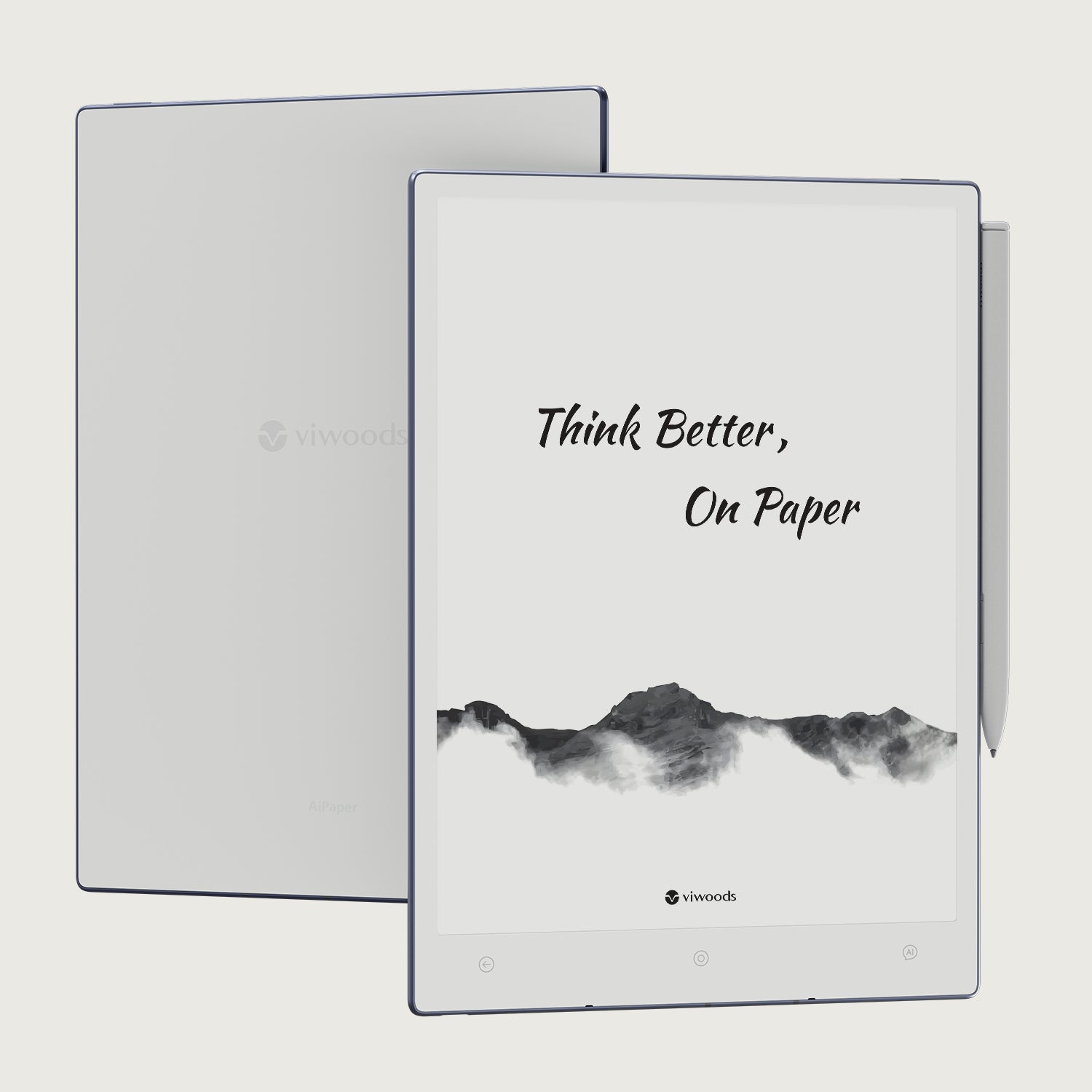
The standard Viwoods AiPaper has a 10.65-inch E Ink display and does not include a built-in front light. It is designed for handwriting, note organisation, PDF review and focused Android workflows.
Its larger screen may be worth considering if you regularly work with documents, annotate PDFs or need space for handwritten notes. The device also supports handwriting conversion, note organisation and compatible Android apps.
Without a built-in front light, however, you will need sufficient ambient lighting or an external reading lamp when using it in dim environments.
This makes the standard AiPaper a more natural option for people who prioritise a larger writing and document-review workspace over integrated night-reading illumination.
Viwoods AiPaper Mini: Built-In Adjustable Front Light
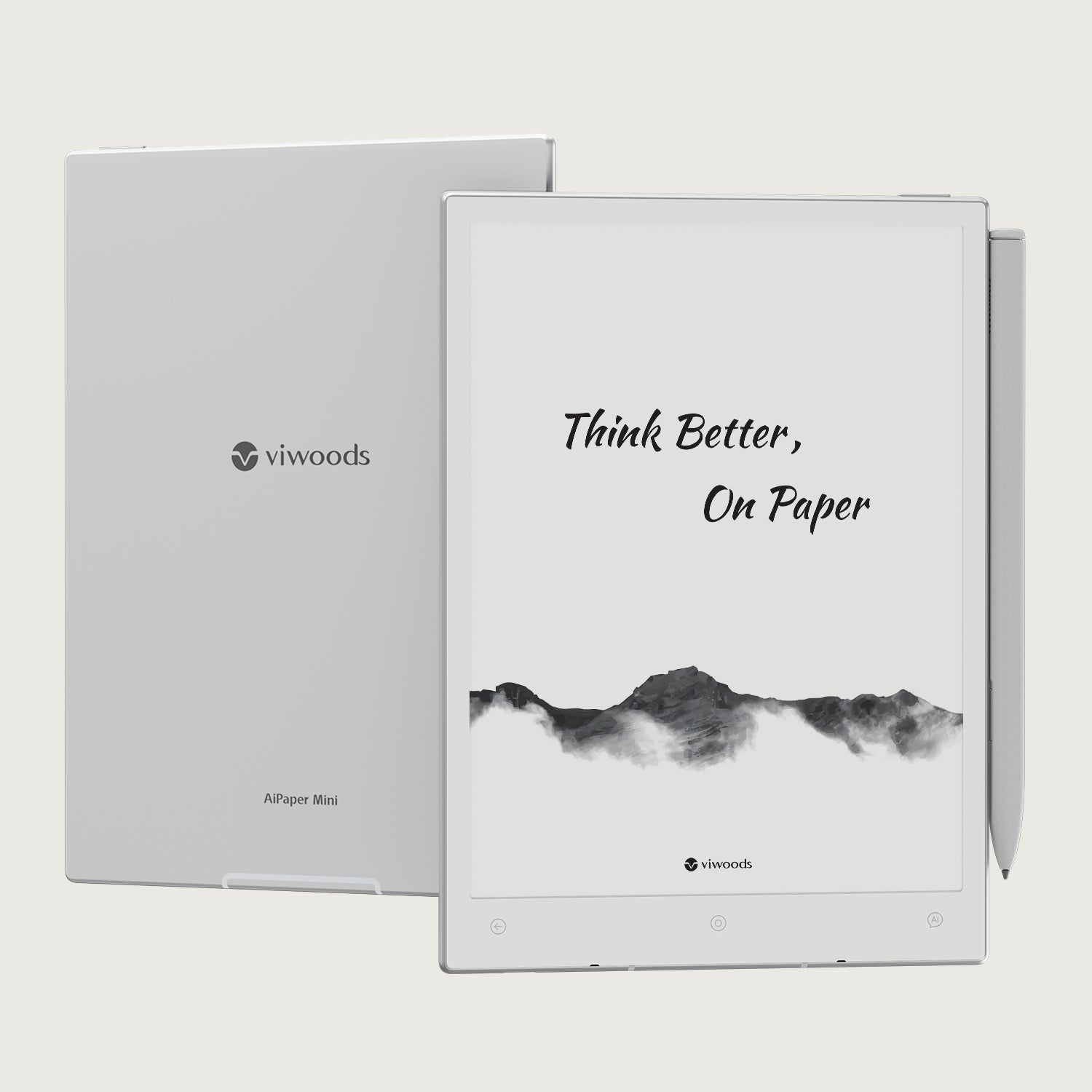
If built-in lighting is a priority, the Viwoods AiPaper Mini is a different option to consider.
According to Viwoods' official product information, AiPaper Mini features an 8.2-inch E Ink display and an adjustable front light. This makes it more suitable for readers who want integrated lighting for dim environments while retaining note-taking functionality.
The trade-off is screen size. Compared with a larger paper tablet, a compact display may be less convenient for some full-page PDFs or documents with dense layouts.
Your choice should therefore depend on the balance you want between portability, lighting and writing space.
Before purchasing, compare the current specifications and pricing on the official product pages:
Which Viwoods Device Fits Your Reading Habits?
Choose based on your primary use case:
Choose a larger screen and a document-focused workflow: Consider the standard AiPaper if you mainly read and annotate documents in well-lit environments and do not require built-in lighting.
Prioritise integrated lighting and portability: Consider AiPaper Mini if you often read in dim environments and prefer an adjustable front light.
Need a device mainly for reading ebooks: Compare screen size, supported formats, weight and lighting controls before deciding whether you need a full-size writing tablet.
Neither design is automatically better. The right choice is the one that fits your reading environment and the work you actually do.
Frequently Asked Questions
Is an E Ink Tablet with Front Light Worth It?
It can be, particularly if you read regularly in dim rooms, at night or while travelling. If you mainly use your device in well-lit environments, a front light may be less important than screen size, resolution or note-taking features.
Can You Read an E Ink Tablet in the Dark Without a Front Light?
Not comfortably without another light source. A non-front-lit E Ink display relies on ambient light, so you will generally need a reading lamp or other suitable illumination in a dark room.
Does a Front Light Affect E Ink Battery Life?
Yes. The front light uses additional power when switched on. The impact on battery life depends on brightness, usage patterns and the device's hardware and software. Using a lower brightness setting may reduce power consumption.
Is a Front Light Better Than a Reading Lamp?
It depends on your setup. A built-in front light is convenient, portable and easy to adjust. A separate reading lamp can provide illumination without requiring a front-lit device and may be preferable if you already have a comfortable reading setup.
If you often read away from home, the convenience of integrated lighting may be worth more to you.
Does Every E Ink Tablet Have a Front Light?
No. Some E Ink tablets include a built-in front light, while others rely on ambient lighting. Always check the specifications of the exact model before purchasing.
Does a Warmer Front Light Protect Your Eyes?
A warmer colour temperature may feel more comfortable to some readers, but it should not be treated as a guarantee of eye protection. Reading comfort depends on several factors, including brightness, ambient lighting, text size and individual needs.
Final Verdict: Should You Pay More for a Front-Lit E Ink Tablet?

An E Ink tablet with a front light is worth considering if you regularly read in low-light environments and want the convenience of built-in illumination. Adjustable brightness can help you adapt the display to different conditions without carrying a separate lamp.
However, a front light is not essential for everyone. If you mostly read in a bright office or at a well-lit desk, a device without built-in lighting may offer better value—especially if it provides the screen size, writing tools and document features you need.
For Viwoods buyers, the distinction is straightforward: the standard AiPaper prioritises a larger writing and document workspace without a built-in front light, while AiPaper Mini offers a more compact design with adjustable front lighting.
The best E Ink tablet is not necessarily the one with the most features. It is the one that makes your everyday reading and writing easier.
Guides Paper Tablet
E Ink Tablet with Front Light: Is It Worth Paying More for Reading Comfort?
Are E-Ink Tablets Worth It? Why They Cost More and Which Is Best in 2026
E Ink Tablet vs iPad: Which Is Better for You?
Paper Tablet for Meetings: Notes to Action Items
E Ink Tablet for Training and Onboarding: Manuals, Notes and Knowledge Capture
E Ink Tablet for Field Teams: Offline Notes, Forms and Daily Review
E Ink Tablet for Compliance Audits: Checklists, Evidence Notes and Follow-Up
Fabric vs Leather Tablet Case: Which Material Fits Daily Carry?
E Ink Tablet for Research Interviews: Interview Guides, Field Notes and Follow-Up
Viwoods AiPaper
$549.00
Viwoods AiPaper Mini
$429.00
Viwoods AiPaper Reader Colour
$289.00
Viwoods AiPaper Reader
$279.00