
A practical daily-carry guide to choosing the stylus, case, spare tips, and protection that deserve space in a paper tablet setup.
A practical set of paper tablet accessories should make an ordinary day easier, not turn a slim digital notebook into another bag full of equipment. The real test happens away from a product page: grabbing the tablet before a train, moving between meeting rooms, settling into a library table, or packing up quickly after a shared desk session. In those moments, secure stylus storage, sensible screen protection, and one useful spare often matter more than a long list of extras.
The better approach is to build around repeated friction. What gets misplaced? What shares space with the tablet in the bag? What would interrupt a long handwriting session? Once those questions are clear, essential items become much easier to separate from optional additions.
Daily carry should also stay light enough to feel natural. A digital paper setup loses part of its appeal when every trip requires several overlapping cases, spare pens, maintenance kits, and organizers. Instead, each item should earn its place by solving a problem that actually appears during the week.
The Daily-Carry Rule
Carry an accessory only when it solves a repeated problem.
Protection, pen retention, replacement planning, and organization should each have a clear role. If two items solve the same low-risk problem, one can usually stay at the regular workspace.
Start Here
Start With Device Fit and Daily Carry Conditions
An accessory can look useful on a desk and become irritating after a week in a bag. The difference usually comes from the carry environment. A tablet that travels from one office to another has very different needs from one that spends two hours each day on trains, buses, campus paths, or flights.
Start with the bag rather than the accessory. A dedicated tablet compartment already creates useful separation from keys, cables, bottles, notebooks, and chargers. In contrast, a soft tote or general-purpose backpack places more value on a fitted protective layer because the device has fewer boundaries around it.
Movement matters as well. A morning commute may involve taking the device out on a train, placing it on a café table, carrying it into a meeting, and packing it again before lunch. Every transition is another chance for the stylus to become separated or for a loose object to end up beside the display.
Writing frequency changes the priorities again. A spare nib has little daily value when handwriting happens only occasionally. However, the same tiny item becomes much more useful during full days of notes, PDF markup, planning, or handwritten study.
Five questions before adding anything to the bag
- How many times does the tablet change locations during a normal day?
- Does the bag already provide a separate protected compartment?
- Does handwriting happen for minutes or for several hours?
- Which small item is most likely to be left behind?
- Would losing that item interrupt the next work, reading, or study session?
Those questions create a better starting point than browsing by appearance. A protective case may be a daily essential in one routine and unnecessary extra bulk in another. Likewise, a backup stylus may be sensible for several days away from the usual workspace but unnecessary for a normal office afternoon.
Once device fit and carry risk are clear, the current Viwoods accessories collection becomes a more useful comparison point. Product browsing then follows an actual need instead of creating one.
Essential Layer
A Secure Stylus Setup
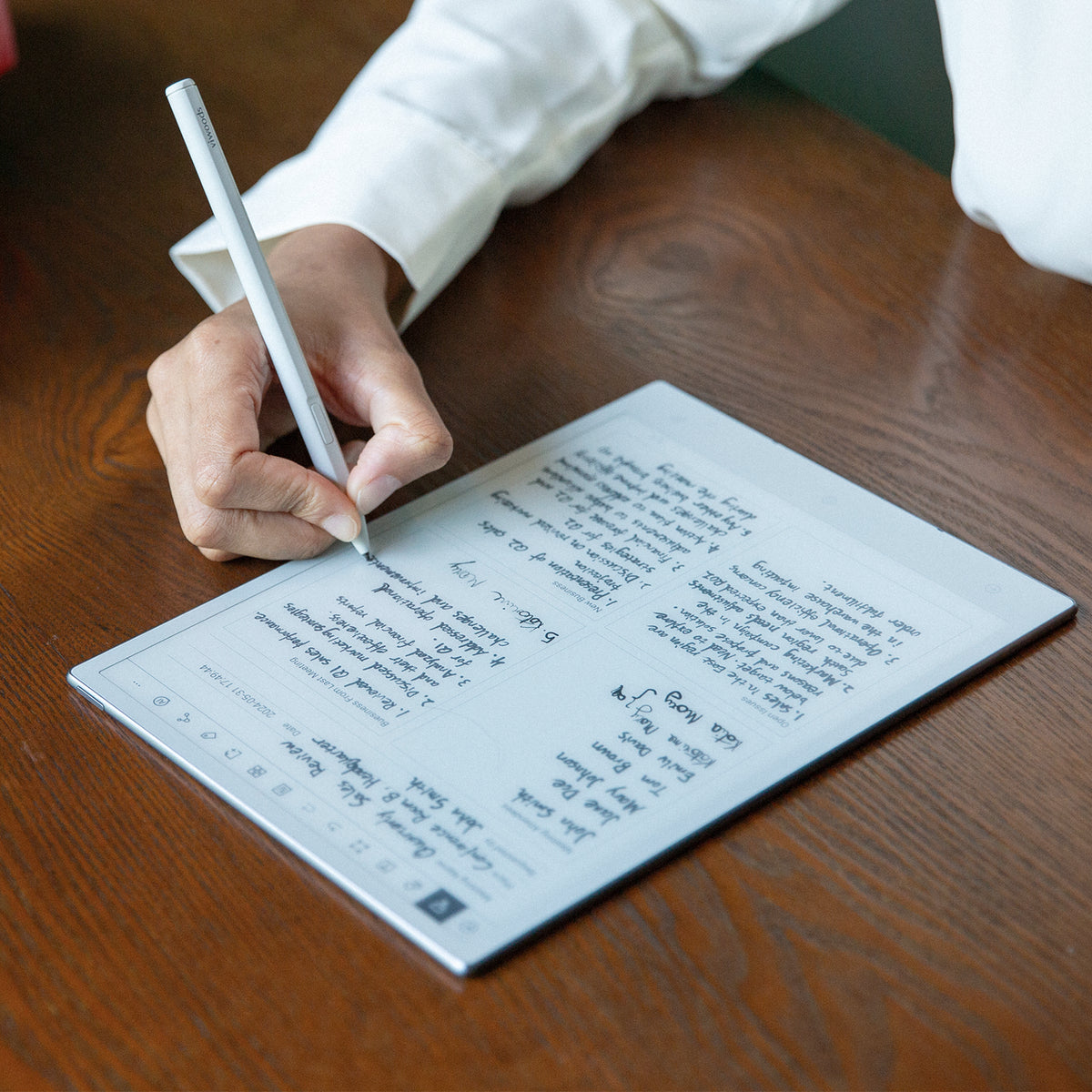
A stylus takes very little space, yet it can determine whether the next session includes handwriting at all. That makes secure access more important than carrying several writing tools with no consistent storage position.
Consider a typical meeting. The tablet opens, the pen lands beside a laptop, the discussion ends quickly, and everything gets packed in under a minute. A stylus that always returns to the same holder, case position, or attachment point removes one small decision from that moment.
For ordinary daily carry, the practical goal is simple: one primary stylus should remain easy to reach and easy to account for. A second full-size pen becomes more reasonable only when long travel or an important handwriting-heavy workflow makes losing access unusually disruptive.
Match the pen setup to the writing load
Short office notes mainly reward quick access. Longer handwriting sessions add another concern: continuity. When several pages of notes, planning, or document markup are expected, replacement availability becomes more useful than it is during a reading-first day.
For that reason, the carry setup can remain simple. One primary stylus handles the normal session. A compatible replacement tip becomes a small backup for handwriting-heavy days, while a second complete pen remains optional for longer trips.
- Short office movement: prioritize a consistent pen position and fast access.
- Long handwriting day: add one compatible spare tip when an interruption would be inconvenient.
- Multi-day travel: consider a second writing tool only when handwriting is central to the trip.
Viwoods Video
See Stylus Pro in a real writing workflow
A writing demonstration gives a clearer sense of the pen-and-tablet relationship than another specifications panel.
Essential Layer
Screen and Corner Protection
Protection earns its place during the moments between active sessions. A tablet may spend twenty minutes on a conference table, then the next forty inside a backpack beside notebooks, adapters, and other equipment. The second part of that routine is where an attached cover becomes easier to appreciate.
A fitted case creates a predictable outer surface around the device and keeps the tablet easier to handle as one unit. It also reduces the number of times the display remains directly exposed during ordinary movement between a bag and a desk.
The useful question is not whether more protection is always better. Instead, protection should match the route. A short office walk can have different needs from a crowded train commute, and a structured work bag can reduce the need for another transport layer.

Case, sleeve, or both?
A fitted case and a separate sleeve solve related but different problems. The case normally stays attached during work and transport. A sleeve mainly serves the journey and usually comes off when the tablet reaches the desk.
Both can make sense when the roles are distinct. For example, an attached case can handle normal desk-to-meeting movement, while a sleeve can separate the entire device from a crowded travel bag. However, the same combination may simply create extra thickness inside a backpack that already has a padded tablet compartment.
A better protection test
Picture the most awkward part of the normal day: a packed train, a full lecture bag, airport security, or a fast move between meeting rooms. Protection should solve that situation without making every easier situation more cumbersome.
In everyday carry, the practical decision is whether each protective layer has a separate job. If the fitted case already covers normal movement and the bag already provides a padded compartment, another layer may add little beyond extra thickness.
Small but Useful
Useful Spares and Small Maintenance Items
The best spare is often the smallest item that prevents a realistic interruption. A replacement stylus tip is a good example. It occupies almost no space but can be useful during a long writing day when the normal desk drawer is several hours away.
Quantity should follow writing frequency. A reading-first routine may not need a spare tip in the daily bag at all. Meanwhile, several hours of meeting notes, study notes, document markup, or planning make one compatible replacement much easier to justify.
Compatibility matters more than appearance. A replacement should match the exact stylus system rather than be selected because two nibs look similar. The current product page remains the right place to confirm the supported replacement set before ordering or carrying spares.

Small maintenance items should stay small
Routine carry rarely needs a full cleaning kit. A clean microfiber cloth can handle ordinary dust or fingerprints while occupying little space. More involved care supplies can remain at the regular workspace, where there is time to follow current device-care guidance.
Storage matters for tiny spares as well. A replacement tip loose at the bottom of a backpack may technically be present, but it is not especially useful when it cannot be found. A fixed case slot, original holder, or small accessory pocket keeps the backup easier to locate.
- Worth carrying: one compatible replacement during a handwriting-heavy day.
- Conditionally useful: one small clean cloth.
- Usually unnecessary: several packs of tips in the same daily bag.
- Better at home: larger maintenance supplies and rarely used extras.
Situational Additions
Optional Additions for Longer Commutes or Shared Workspaces
Optional items become useful when the environment changes. A separate protective layer may feel unnecessary during a quiet office day, then make more sense during a week of trains, flights, temporary desks, and hotel rooms.
Longer travel also increases the number of times everything gets unpacked. The tablet may come out at a station, return to a bag, appear again during a meeting, and move once more later in the day. In that routine, organization becomes more valuable than simply adding more equipment.
Longer travel rewards predictable storage
A consistent pattern reduces searching. The stylus returns to the same place. Small spares remain in one pocket. The tablet enters the same compartment each time. A separate sleeve only joins the setup when the bag itself does not provide enough separation.
This is also why redundancy should stay targeted. One small replacement tip can cover a likely writing interruption. A second full case usually does not solve an equally likely problem. The better backup plan follows consequence rather than quantity.

Shared spaces create a different problem: small items drift
Coworking spaces, libraries, classrooms, and conference rooms create more opportunities for small items to become separated. The tablet itself may remain perfectly safe while the stylus moves to the other side of the table or a spare tip disappears among cables and stationery.
A fixed pack-up routine solves much of that problem. The pen returns to the same position. Small spares return to one pocket. The cover closes before the device leaves the desk. That routine takes seconds and often adds more practical value than another large accessory.
Multi-day travel can justify one additional backup when a missing item would interrupt important handwritten work for the rest of the trip. Even then, the extra should address a specific failure rather than become part of a generic emergency pouch.
Reduce the Kit
What Most Users Can Leave at Home
A useful checklist needs a removal step. Otherwise, every item that is occasionally helpful eventually becomes a permanent passenger.
Start with duplicate protection. An attached case, separate sleeve, padded tablet compartment, and heavily structured backpack may all address similar situations. Several layers can make sense, but only when each one solves a distinct part of the journey.
Next, look at desktop equipment. Large stands, alternate cases, packaging, larger organizers, full cleaning supplies, and complete stocks of replacement tips can remain useful without traveling every day. Keeping them in one known place still makes them easy to reach when needed.
Screen protectors and external keyboards also fall into the leave-at-home group for most routines. Digital paper displays already feature a textured, matte surface engineered for paper-like friction; adding a third-party film often introduces glare and reduces contrast. Similarly, a portable Bluetooth keyboard is only justified for dedicated, high-volume drafting sessions, not standard handwritten notes or reading.
A second stylus also belongs in the conditional group rather than the automatic daily list. It can be valuable during important travel or long handwriting-heavy work away from the usual workspace. For ordinary office movement, one primary pen with reliable storage is usually the cleaner setup.
Daily
Items used almost every time the tablet leaves the regular workspace.
Conditional
Items reserved for long commutes, heavy handwriting, travel, or shared spaces.
Home Base
Useful supplies worth owning, but unnecessary in the daily bag.
Use frequency as the final filter
One simple test helps when an item is difficult to classify: consider the last five times the tablet left the usual workspace. If the accessory remained untouched every time, it may belong in the conditional or home-base category.
This filter keeps useful supplies available without allowing the carry kit to expand indefinitely. The finished setup should feel noticeably simpler than the starting point.
Before Buying
Compatibility and Product-Page Checks Before Buying
Compatibility should be checked before appearance. A case can look ideal and still be the wrong choice when it is shaped around another device. A replacement nib can look almost identical while belonging to a different stylus system.
Separate case options across the AiPaper, AiPaper Mini, and Reader families are a useful reminder that “tablet case” is too broad as a fit standard. The exact device named on the current product page matters more than a general category label.
Check the complete carry system, not one product in isolation
A case that already provides stylus retention may remove the need for a separate pen pouch. Likewise, built-in storage for small writing supplies can reduce the number of loose containers in the bag. The practical value comes from simplifying the system rather than collecting more features.
Before adding anything, compare the proposed item with what already exists. The current bag may already provide padding. The present case may already solve pen storage. Spare supplies may already sit at the regular workspace.
The next purchase should close a real carry gap. If the gap cannot be named, the item probably belongs lower on the priority list.
Product-page check
- Confirm the exact device or stylus model named on the live page.
- Check whether the item stays attached or only serves transport.
- Look at how the stylus or small spares are stored.
- Review current package contents instead of assuming another item is required.
- Use the current first-party page when older screenshots or listings disagree.
Practical Checklist
Daily Carry Checklist by User Type
The strongest carry list changes with the routine. A reading-heavy afternoon in a quiet office does not need the same backup plan as a full campus day or several days of business travel.
The table below separates core items from conditional additions. It is not a bundle recommendation. Instead, it provides a starting point for deciding what earns daily bag space.
| Routine | Core Kit | Worth Adding | Usually Left Home |
|---|---|---|---|
| Office meetings | Tablet, fitted protection, secure stylus | Small cleaning cloth | Extra sleeve, duplicate pen, large spare kit |
| Daily commute | Tablet, case, fixed pen position | Sleeve when the bag lacks separation | Duplicate cases, external keyboards, and unused extras |
| Campus or study day | Tablet, stylus, protective layer | Compatible tip for heavy handwriting | Large maintenance supplies & extra films |
| Shared workspace | Tablet, retained stylus, case | Small organizer if several items travel | Loose duplicate accessories |
| Multi-day travel | Tablet, stylus, protection | Small spares and targeted backup | Bulky desktop stands & chargers |
Office and meeting-room carry
Short office movement benefits from speed. The tablet should come out of the bag, open, and be ready without unpacking several separate items. A fitted protective layer and a stylus with a predictable storage position usually address the main friction.
A sleeve becomes less important when the device already travels inside a structured work bag. Likewise, an entire packet of spare tips can remain at the desk unless handwriting volume is unusually high.
Daily commuting
Public transport increases handling frequency. The bag opens more often, workspace conditions change, and the tablet may move between standing, sitting, and temporary surfaces. That raises the value of secure pen storage and sensible separation from other bag contents.
A separate sleeve becomes more reasonable when the device shares space with hard equipment or when the bag lacks a defined tablet compartment. One spare nib can also be sensible when handwritten work continues throughout the day.
Campus and long study sessions
A study day often combines reading, note-taking, PDF review, planning, and movement between several rooms. In that environment, the stylus carries more weight in the decision than it does during a reading-only routine.
A compatible replacement tip can earn a place when several hours of handwriting are normal. At the same time, a crowded backpack may justify an extra transport layer only when the existing compartment does not provide enough separation.
Multi-day business travel
Longer trips add more handling points: airport security, hotel rooms, meeting tables, trains, taxis, and temporary workspaces. The carry setup should become easier to inspect rather than more complicated.
Small spares gain value because the normal workspace is far away. A second stylus can become reasonable when handwritten work is central to the trip. Even so, redundancy should stay limited to items whose absence would genuinely interrupt the planned workflow.
The ten-second pack-up check
The most useful checklist may be the one used before leaving a desk. It should be short enough to become automatic.
- Tablet present and protective cover closed.
- Stylus returned to the normal storage position.
- Required spare present for a long handwriting day.
- Small accessories returned to their fixed pocket.
- No unnecessary duplicate items added “just in case.”
That routine supports the actual purpose of a carry kit: less searching, fewer missing items, and a tablet that is ready when the next note, document, or reading session begins.
FAQ
Common Daily-Carry Questions
What accessories are essential for a paper tablet?
The essential group is defined by function rather than quantity. Device protection and reliable stylus access usually deserve attention first. A spare tip moves higher on the list when handwriting is frequent or when several days away from the regular workspace make replacement access difficult.
Do you need both a case and a separate sleeve?
Not automatically. A fitted case normally stays attached during everyday use, while a sleeve mainly adds separation during transport. Both make more sense when the bag is crowded or lacks a dedicated protected compartment. If the existing bag already isolates the tablet well, another sleeve may add more bulk than practical value.
How should you choose a spare stylus nib?
Start with the exact stylus model and confirm the current replacement option on the live product page. After compatibility is clear, writing volume determines whether a spare belongs in the bag. A reading-heavy routine can often keep replacements at the regular workspace, while long handwriting sessions make one small backup more useful.
Which accessories matter most for commuting?
Commuting increases handling frequency, so secure stylus storage and a suitable protective layer usually matter most. A separate sleeve becomes more useful when the bag contains several hard objects or offers little internal separation. A small compatible spare can also make sense during a handwriting-heavy day.
Final Check
Build the Smallest Kit That Covers the Real Day
A useful carry setup should disappear into the routine. The pen has one home, the device has an appropriate protective layer, small spares are easy to find, and unnecessary duplicates stay behind. That leaves more attention for the meeting, reading session, commute, or study block instead of the equipment around it.
The best final check is simple: confirm device compatibility, identify the most realistic carry risk, and keep only the items that are used often enough to justify their space.
1. Confirm model compatibility before appearance.
2. Prioritize stylus security and device protection before optional extras.
3. Keep only the spares that prevent a realistic interruption.
Guides Paper Tablet
E Ink Tablet for Training and Onboarding: Manuals, Notes and Knowledge Capture
E Ink Tablet for Field Teams: Offline Notes, Forms and Daily Review
E Ink Tablet for Executive Briefings: Read, Mark, Decide and Follow Up
How to Evaluate an E Ink Tablet Demo for a Business Team
E Ink Tablet Total Cost of Ownership for Business Teams
E Ink Tablet for Compliance Audits: Checklists, Evidence Notes and Follow-Up
Fabric vs Leather Tablet Case: Which Material Fits Daily Carry?
E Ink Tablet for Research Interviews: Interview Guides, Field Notes and Follow-Up
How to Carry a Paper Tablet and Stylus Together Without Damaging the Screen
How to Protect an E Ink Tablet in a Backpack
Paper Tablet Accessories Checklist: What You Need for Daily Carry

Viwoods AiPaper
$549.00

Viwoods AiPaper Mini
$429.00

Viwoods AiPaper Reader Colour
$289.00

Viwoods AiPaper Reader
$279.00